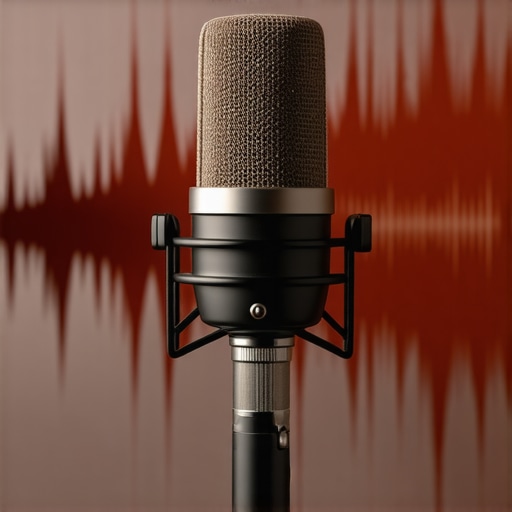
3 Simple Fixes for a Muddy Podcast Mic Sound in 2026

I remember the exact moment I realized my podcast sounded terrible. I was recording an episode, excited to share my thoughts, when I listened back and cringed at how muffled and muddy my voice sounded. It was like speaking into a tin can. Frustration kicked in. I knew my microphone was decent, but somehow, my recordings weren’t at the professional level I aimed for. That lightbulb moment made me dive deep into troubleshooting—and I discovered some simple, yet powerful fixes that transformed my sound overnight.
Why Your Podcast Might Sound Muddy and Why It Matters
In the crowded world of podcasting, clarity is king. Your audience expects crisp, clear audio that keeps them engaged. If your recordings sound muddy or muffled, it’s not just annoying—it can turn listeners away before they even hit play again. As audio expert Mike DelGaudio points out, poor sound quality can be as damaging as having a bad host—people might drop off without even realizing why. The good news? Most muddy sound issues have straightforward fixes once you identify the root cause.
Is Your Mic Really the Problem? Don’t Assume Sounding Cheap Is Normal
Early on, I used a basic USB mic and thought, “This is just how it sounds.” Turns out, I was making a common mistake—using the wrong settings and neglecting basic room acoustics. I also thought expensive equipment alone would save me. Spoiler: that’s rarely the case. To really elevate your podcast voice, you need to understand what factors contribute to muddy sound—then apply targeted fixes. Curious if your setup is good enough? Check out my detailed guide on why your podcast mic sounds cheap and how to fix it.
Now, let’s get into the three simple fixes that will clear up your sound and make your podcast stand out. These are tried-and-true methods that helped me—and many creators I know—level up their audio game. Ready to stop sounding like you’re recording in a cave? Let’s dive in!
Start with Your Microphone Placement
Position your microphone correctly to capture clearer audio. For instance, place your XLR or shotgun microphone about 6-12 inches from your mouth, slightly off-axis to reduce plosive sounds. I once spent hours troubleshooting my USB mic before realizing it was too close or too far, causing muffled audio. Experiment with distances and angles to find the sweet spot where your voice sounds crisp and natural.
Secure a Boost in Voice Clarity by Using a Pop Filter
A simple foam or metal pop filter placed a few inches in front of your mic can significantly cut plosive bursts and sibilance. This prevents explosive consonants from causing distortion and muddiness. I added a pop filter to my setup and immediately noticed brighter, cleaner recordings, even with my beginner USB mic.
Improve Your Room Acoustics
Room reflections cause echo and muddy sound. Use blankets, furniture, or acoustic panels to dampen sound waves. Think of your recording space as a cave; absorbing surfaces reduces echo. During my first home podcast, I improvised with duvets and pillows, which made a noticeable difference in clarity. For best results, aim for a non-reflective environment to keep sound focused and natural.
Eliminate Background Noise
Background noise, such as computer fans, HVAC systems, or street sounds, seeps into recordings and causes muddiness. Turn off unnecessary electronics and use directional microphones like shotgun or cardioid options to target your voice. I tested a shotgun microphone in my cluttered office and found it greatly reduced room noise, making my voice stand out distinctly.
Tune Your Equipment and Settings
Incorrect gain levels and settings can dull your audio. Set your mic’s gain so your voice peaks without clipping, ensuring a full, rich sound. For USB mics, avoid using the maximum volume; instead, adjust via your computer settings or recording software. I once recorded with too high gain, resulting in distorted sound. Lowering it and enabling proper filters cleaned up my audio remarkably.
Choose the Right Microphone for Your Voice and Environment
Not all mics are created equal. For indoor recording with tight spaces, a shotgun mic or a well-chosen XLR setup can improve clarity. Check this guide to select the best mic suited to your needs. I switched from a generic USB to a dedicated shotgun mic and noticed a significant jump in professionalism and clarity.
Implement Post-Processing Techniques
Use audio editing software to remove hum, hiss, and background noise. Tools like EQ can boost high frequencies where vocal clarity resides. During editing, I used equalization to carve out mudiness, making my voice bright and present. Remember, raw recordings often aren’t perfect—polished post-production can mask minor issues and improve overall sound quality, bringing your podcast closer to professional standards.
Many creators assume that choosing a high-end microphone instantly guarantees professional-sounding audio, but the truth runs deeper. A common misconception is that a flashy XLR setup or a shotgun mic alone can salvage poor recording environments or incorrect techniques. In reality, even premium equipment can falter if foundational setup principles aren’t understood and applied correctly. For example, many overlook the importance of proper mic placement; placing a mic too close or too far can cause muddiness, regardless of its quality. Additionally, there’s a widespread myth that USB microphones are inherently inferior to XLRs. While XLR setups often offer more control and clarity, modern high-quality USB mics — like the ones I review in the [best USB microphones for creators in 2025](https://mics.creatorrigreviews.com/best-usb-microphones-for-creators-in-2025-voice-clarity-podcast-tips) — can produce studio-grade sound if used optimally.
An advanced mistake many make involves ignoring room acoustics. Acoustic reflections and background noise can sabotage recordings, making even the best mic sound dull or muddy. Investing in acoustic treatment or strategically positioning your mic to minimize reflections is often more impactful than upgrading to a more expensive device. For those already committed to their equipment, tuning gain levels and utilizing filters is critical. Overlooking gain staging can lead to distorted sounds or noise floor issues, which compromise clarity.
Have you ever fallen into this trap? Let me know in the comments.
Why does microphone type matter less than how you use it?
“Let’s dig deeper into this: while many believe that an XLR mic automatically outperforms USB alternatives, studies and real-world tests show that technique and environment are more decisive. According to audio expert Ethan Winer, even the highest-quality microphones can’t compensate for poor placement or acoustics. For instance, a shotgun mic is designed for targeted recording in noisy environments — but if used indoors without proper sound-dampening, it can still produce muddy recordings. Conversely, a well-placed USB mic in a treated room can outperform a poorly handled XLR setup. This highlights that understanding device nuances and proper setup strategies is key.
For detailed guidance, check out my comprehensive article on [voice recording microphone setup](https://mics.creatorrigreviews.com/ultimate-guide-to-voice-recording-microphones-usb-xlr-shotgun-picks-2025). Remember, technology is only half the equation; mastering technique makes all the difference.
Keep Your Equipment Performing at Its Best
Investing in quality microphone gear is just the start; maintaining it properly ensures long-term performance and consistent audio quality for your podcasts. Regular upkeep can prevent common issues like muddiness, background noise, and connection problems that can degrade your recordings over time.
Establish a Routine for Equipment Checks
Set aside time weekly to inspect your microphones and accessories. Check XLR cables for wear and tear, ensuring connections are secure. Clean your mic capsules gently with a soft brush to remove dust and debris that can impact sound clarity. For USB mics, perform software updates to benefit from the latest firmware enhancements which often include stability improvements.
Invest in Quality, Long-lasting Tools
Using durable accessories like high-quality pop filters, shock mounts, and mic stands reduces the risk of damage. Choosing the right tools not only improves sound but can simplify maintenance. For instance, a rugged shock mount protects sensitive capsules from handling noise, extending their lifespan and maintaining clarity over many recording sessions.
Keep Your Environment Stable and Clean
Room conditions influence mic longevity and performance. Dust accumulation, humidity, and temperature fluctuations can damage electronic components. Use protective covers or storage cases for your gear when not in use, and maintain a clean, dry space to prevent corrosion or damage. Regularly check your recording environment to avoid issues that can lead to long-term wear on your equipment.
Monitor and Log Equipment Usage
Keep a detailed record of your gear’s history—when you last serviced or cleaned each piece. Tracking usage patterns helps preempt failures before they occur. When your budget allows, consider upgrading to more robust, future-proof tools like the latest shotgun microphones or USB models that incorporate advanced internal shielding and noise reduction features, which can be seen in offerings like the best options for 2025.
How do I maintain my podcast microphone over time?
Maintaining your gear involves consistent cleaning, proper storage, and regular updates to your equipment and software. Treat your microphones with care; avoid dropping or exposing them to extreme conditions. Additionally, staying informed about the latest maintenance techniques—such as using specialist cleaning sprays for capsules or upgrading cables periodically—can dramatically extend their lifespan and preserve audio clarity. According to audio engineer Ethan Winer, routine maintenance directly influences sound quality and durability, emphasizing the importance of proactive care.
Ready to take your mic maintenance to the next level? Try integrating a scheduled cleaning routine using gentle, manufacturer-approved tools or upgrading your shock mounts for superior protection. Small steps today can prevent costly repairs or replacements tomorrow, ensuring your podcast’s sound remains crisp and professional for years to come. For recommendable equipment, check out the comprehensive guides linked earlier to discover tools that combine durability with top-notch performance.
The Hardest Lesson I Learned About podcast mic,voice recording,xlr mic,shotgun mic,usb mic
One of my biggest surprises was realizing that even top-tier equipment can fall flat if I neglect the basics like mic placement and room acoustics. I once spent thousands on an XLR setup, only to find my recordings still sounded distant and muddled. That taught me that mastering simple techniques often outweighs expensive gear. This was a game-changer, reminding me that your environment and technique are your best allies in achieving professional sound.
3 Myths About podcast mic,voice recording,xlr mic,shotgun mic,usb mic That Held Me Back
For a long time, I believed that USB microphones couldn’t match the quality of XLR setups, leading me to overlook excellent USB options like the best USB microphones for creators in 2025. Another misconception was that shotgun mics were solely for video production, whereas they excel for indoor vocal recording when properly configured. Finally, I thought that upgrading equipment alone would solve all issues — but I learned that technique tweaks are often more impactful than gear upgrades.
What Experts Won’t Tell You About podcast mic,voice recording,xlr mic,shotgun mic,usb mic
One critical insight is that room acoustics influence your microphone’s performance more than the mic’s specs. Even the most expensive models can sound muddy if reflections and background noise aren’t managed. According to seasoned professional Ethan Winer, focusing on environment and gain staging can unlock a microphone’s true potential, often more than brand choice. For nuanced tips, check out the ultimate guide to voice recording microphones that I swear by.
Challenge Yourself to Elevate Your Sound
Now that you know these secrets, take action. Experiment with mic placement, invest in simple acoustic treatments, and fine-tune your settings. Remember, upgrading your microphone won’t make a difference if your environment isn’t clean and controlled. Keep pushing forward, and your podcast will stand out with clarity and professionalism. Dive into these resources to find tools tailored to your needs, like the best shotgun microphones for voice clarity or the ultimate XLR microphone setup guide and watch your sound evolve.
One response to “3 Simple Fixes for a Muddy Podcast Mic Sound in 2026”
This post hits home for me because I used to think my USB mic was just inherently muddy sounding. It wasn’t until I experimented with mic placement and room treatment that I saw real improvement. Switching from the default positioning to about 8 inches from my mouth, slightly off to the side, made a huge difference. Plus, adding acoustic panels and using a pop filter cleaned up those sibilant sounds. I’ve learned that investing in good gear is important, but proper setup and environment are what really count. I wonder, how many podcasters are overlooking simple things like room acoustics, thinking they need an expensive mic upgrade? For those just starting out, would you recommend focusing on acoustics first before upgrading your microphone? Or is there a sweet spot where gear and environment balance out? Personally, I believe mastering mic placement and room treatment can save you a lot of frustration and money in the long run.

About Me

Chesung Subba
Author/Writer
Hello, I'm Chesung Subba, a passionate writer who loves sharing ideas, stories, and experiences to inspire, inform, and connect with readers through meaningful content.
Follow Me
Connect with me and be part of my social media community.
Leave a Reply