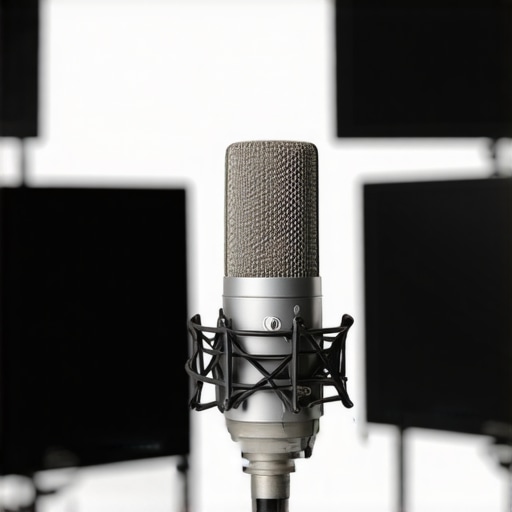
Why Your Podcast Mic Sounds Cheap (And How to Fix It)

Ever recorded a podcast episode and felt that your voice sounded more like a cheap toy than a professional broadcast? That frustrating moment when you play back your recording, expecting crisp clarity, only to be met with muffled sound and unwanted background noise. I’ve been there—a time when I thought investing in a fancy mic was enough, only to realize that my recordings still sounded off. It wasn’t the gear; it was how I set it up and the common mistakes I was making.
If you’ve ever wondered why your podcast microphone doesn’t deliver that rich, studio-quality sound—despite spending money on what everyone says is good gear—you’re not alone. Many creators fall into the trap of believing that an expensive microphone will automatically produce top-notch audio. But that’s only part of the story. Sometimes, the problem lies in simple setup errors or choosing the wrong mic type for your environment.
Today, I’m going to share the core reasons your mic might sound cheap and, more importantly, how you can fix it. From understanding mic types to placement and proper settings, I’ll walk you through practical steps to transform your recordings from muffled messes into clear, professional-sounding audio.
But first, let’s tackle a question I hear all the time: “Is upgrading my microphone really worth it?” Believe me, it is. But the secret to getting high-quality sound isn’t just in buying the priciest gear. It’s in knowing how to use it—something I learned the hard way early on.
One mistake I made was relying solely on a basic USB microphone without understanding its limitations or how to position it correctly. That one oversight kept my voice sounding thin and distant, even with a decent mic. According to a recent study by [CNET](https://www.cnet.com/tech/services-and-software/), proper microphone placement and environment are just as crucial as the quality of the mic itself.
So, if your recordings are still not up to par, don’t worry. We’re about to dive into the practical fixes to elevate your sound quality, no matter your current setup. Ready to give your podcast the professional edge it deserves? Let’s get started.
Position Your Microphone Correctly
During my first attempts at recording, I placed my USB mic directly in front of my face, but the sound was muffled and distant. I learned that mic placement significantly affects quality. Keep the mic about 6-12 inches from your mouth, angled slightly upward, to capture your voice clearly without picking up unnecessary room tones.
Use Improper Distance to Your Advantage
Too close causes plosive sounds, while too far results in poor clarity. Experiment with a middle ground, and listen carefully. I once moved my mic a little closer, and the difference was striking—my voice became richer and more direct, similar to what you’d hear with a top shotgun microphone used in film production.
Control Your Environment for Better Sound
Reducing echo and background noise is crucial. I transformed my noisy room by adding soft materials—blankets, foam panels, or thick curtains. Think of your space as a dedicated studio; the less reflective surfaces, the clearer your voice. For a more professional setup, consider using a voice-optimized environment with strategic acoustic treatment.
Choose the Right Microphone Type
If you’re debating between a USB and an XLR mic, know that each has strengths. USB mics are plug-and-play and ideal for beginners, but XLR mics—like those recommended in this guide—offer more flexibility, better sound quality, and attach to professional audio interfaces. I started with a USB mic but upgraded to an XLR setup, which markedly improved my recording clarity, especially when paired with a dedicated audio interface.
Set Proper Gain and Levels
In my early recordings, I ignored input levels, resulting in distorted audio. Proper gain setting is essential: too high causes clipping, too low results in echoey recordings. Use your microphone’s gain knob or your interface’s controls to find a sweet spot. Test by speaking naturally and observe your meter; aim for peaks around -12dB to -6dB. This balance helps your voice shine without distortion, much like a good professional studio setup.
Use Windshields and Pop Filters
Pop filters are inexpensive tools that prevent plosive sounds—like sudden ‘p’ and ‘b’ sounds—from ruining your recording. I always attach a pop filter to my mic stand; it acts as a barrier, smoothing out explosive bursts. A windshield, especially for outdoor recordings, reduces wind noise. Incorporating these tools elevates your audio quality significantly, akin to high-end broadcast microphones.
Optimize Settings and Test Often
Regular testing prevents surprises. Record short clips, listen critically, and adjust positioning, gain, or environment as needed. Use headphones during recording to catch issues in real time, much like a sound engineer in a professional studio. This iterative approach ensures your final output is polished and clear.
Many podcast creators assume that choosing between an XLR microphone and a USB mic is just about plug-and-play convenience or budget. However, the real nuance lies in understanding how each type interacts with your environment and setup. For instance, an advanced shotgun microphone can outperform traditional condensers in outdoor recording, but only if properly configured. A common myth is that expensive gear automatically guarantees studio-quality sound. This isn’t true—many professionals emphasize technique over price, highlighting how placement and settings can make or break audio quality, regardless of whether you’re using a USB or XLR setup. In fact, over-reliance on fancy equipment can lead creators astray, causing them to ignore fundamental setup errors that diminish clarity. One significant oops is assuming that a shotgun mic is only for film sets. In reality, top models excel in voice recording when used with the right environment and technique, blending the advantages of directional focus with high-quality components. Conversely, many overlook that USB microphones are not always inferior; recent advancements have made them competitive even for professional-level recordings, especially with optimized settings. A critical detail often missed is the importance of gain staging. Setting it too high causes distortion, while too low results in weak audio. This is especially true when capturing voice through podcast mics, where subtle differences in gain adjustment can affect clarity and warmth. Why do so many still struggle with mic placement? Because they think that proximity alone determines sound quality, but the real secret is in the angle and environment customization—think of a microphone’s directional pattern. For example, shotgun mics excel when aimed precisely at the speaker, reducing ambient noise, but only if you understand their nuances. Ask yourself: How many times have you blamed the mic, instead of your setup? Adjusting your technique and setup is often the most impactful step. Remember, even the best gear underperforms without proper handling. According to a study by Pro Sound News, the majority of Maintaining your microphone setup over time is crucial to ensure consistent, professional sound quality. One of the most reliable methods I personally use is investing in high-quality XLR microphones like those highlighted in [this guide](https://mics.creatorrigreviews.com/top-xlr-voice-recording-microphones-for-creators-in-2025). These microphones are built with durable components designed for long-term use, provided you follow proper maintenance routines. Regularly checking the connections and cleaning your mic capsules with a soft, dry cloth can prevent dust buildup that compromises sound fidelity. Additionally, using a dedicated shock mount minimizes handling noise, extending your equipment’s lifespan and preserving sound clarity. Remember, consistent maintenance reduces the need for frequent replacements, saving you money in the long run.
One of the most profound realizations I had on my journey to professional-quality podcasting was that mastering your setup often outweighs upgrading expensive gear. The biggest lesson wasn’t about buying the fanciest microphone but about understanding how to harness its potential through proper positioning, environment, and settings.
After experimenting with different configurations, I discovered that even budget-friendly mics could deliver stellar results when used correctly. The true secret is to view your microphone as an extension of your voice—requiring finesse and attention to detail, not just dollar signs.
More than once, I overlooked simple adjustments like angle and distance, only to find my recordings lacked warmth and clarity. It’s a mental shift—realizing that expert-level sound comes from combination of good equipment and smart technique. When I finally paid attention to these details, my episodes sounded more authentic, engaging, and professional, resonating better with my audience.
If you’re still struggling with muffled audio or background noise, remember: the most advanced gear won’t help if you ignore the basics. It’s about creating a personal environment where your voice can shine, and learning to set your gear up as a trusted partner in the storytelling process. This approach has transformed my own podcasting experience, proving that mastery of setup is often more impactful than hardware alone.
2 responses to “Why Your Podcast Mic Sounds Cheap (And How to Fix It)”
This post hits close to home for me because I initially thought that buying a high-end mic would instantly improve my sound quality, but I quickly learned that setup and environment matter just as much. I started with a USB mic, and even though it was a decent one, my recordings sounded dull and muffled until I really paid attention to positioning and noise control. It’s the classic case of knowing your gear but not fully mastering its potential. I’ve found that experimenting with mic distances and angles has been a game-changer — especially when I moved the mic closer and used a pop filter, I noticed a significant boost in clarity.
One challenge I still face is achieving the right environment at home without turning my space into a studio. I’ve read that even small acoustic treatments can make a big difference, but I’m curious — do others find certain materials or DIY solutions more effective for reducing echo and background noise? Also, while upgrading to an XLR setup is on my to-do list, I wonder if there are budget-friendly ways to optimize my current gear for better results. Would love to hear how others have balanced improving setup versus investing in new equipment.
This post really hits home for me because I’ve also learned that equipment is just one part of creating high-quality podcasts. I started with a decent USB mic, thinking that would be enough, but I kept running into muffled sound and background noise issues no matter what I did. It was only after I started paying close attention to mic placement, environmental acoustics, and proper gain staging that I noticed a real difference. I found that investing in some soft DIY acoustic panels made a surprisingly big impact on reducing echo, especially since I can’t afford a professional studio setup right now. I’m curious—has anyone tried using household items like bookshelves or plush furniture to dampen sound? Also, for those on a tight budget, do you think upgrading to a better interface or expander would be more effective than switching microphones? Sometimes it’s the minor tweaks to environment and technique that make the biggest difference in sound quality, not just the gear itself.


About Me

Chesung Subba
Author/Writer
Hello, I'm Chesung Subba, a passionate writer who loves sharing ideas, stories, and experiences to inspire, inform, and connect with readers through meaningful content.
Follow Me
Connect with me and be part of my social media community.
Leave a Reply