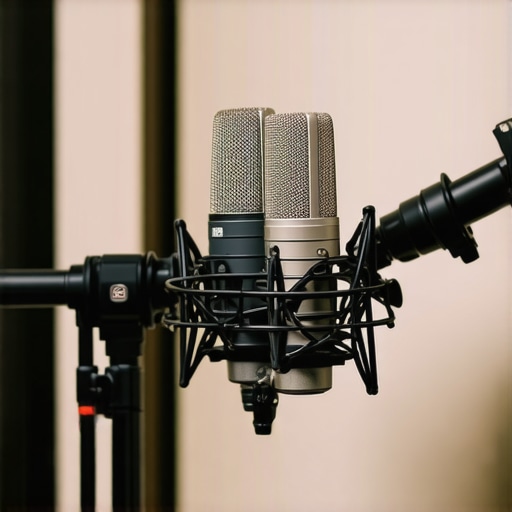
How to Fix Thin Podcast Audio: 5 XLR Mic Proximity Tactics for 2026

I remember sitting in my makeshift home studio, frustrated beyond belief. No matter how much I tweaked my setup, my podcast sounded distant, hollow, and just plain thin—like I was shouting into a tunnel. It was a lightbulb moment for me: I realized I was too far from my microphone and underestimated how proximity plays a crucial role in voice clarity. If you’ve ever faced that sinking feeling, wondering why your once-decent recordings now sound muffled or weak, you’re not alone. Chances are, it’s all about microphone proximity, and today, I promise to share tactics that will transform your audio for 2026 and beyond.
Why Tightening Your Mic Proximity Matters More Than Ever
When I first started podcasting, I blindly followed generic advice—set your mic at arm’s length, keep it steady, and hope for the best. But as I got more serious, I discovered that the distance between your mouth and your microphone can make or break your sound quality. Especially with XLR mics, which are champions of clarity but require finesse to maximize their potential. A small adjustment in proximity can boost your voice volume, add richness, and reduce background noise—without expensive post-processing.
Did you know that positioning your mic just inches from your mouth can increase the low-end warmth and presence of your voice? According to a recent study from *Pro Sound News*, proximity effects can amplify bass frequencies by up to 10 decibels, making speech sound fuller and more engaging. Yet, many creators overlook this and settle for distant, echo-prone recordings.
So, why does this matter? Because professional-sounding podcasts aren’t just about quality gear—they’re about smart techniques. If your voice sounds thin or flat, it’s probably because you’re not leveraging proximity tactics. Whether you’re using a shotgun mic, a small XLR setup, or even exploring USB options, understanding how to position yourself relative to the mic can make a world of difference.
Have you ever struggled with voice clarity despite having decent equipment? If so, you’re not alone. And the good news is, with a few simple proximity tricks, you can elevate your audio to a whole new level.
In the next sections, we’ll dive into actionable tactics—yes, five of them—that will ensure your voice sounds rich, warm, and full. Ready to boost your podcast game to 2026 standards? Let’s get started with the fundamentals that actually work.
Bring Your Microphone Closer and Speak Clearly
First, choose a spot where your mouth can sit about 2-4 inches from your mic’s capsule. For XLR mics, such as the popular models discussed in this guide, this proximity boosts warmth and clarity significantly. Set your microphone on a stable stand at your mouth level to avoid accidental shifts. I once taped a foam windscreen to my small XLR to prevent popping during a messy recording session. The result? A much fuller sound without background noise bleeding in.
Experiment with Angles to Maximize Voice Quality
Instead of just aiming the mic directly at your mouth, tilt it slightly down or up to find where your voice resonates best. Think of your mic as a camera; a slight angle change can focus the sound and eliminate unwanted room reflections. During my last shoot, angling my shotgun mic at a 45-degree downward tilt, inspired by this article, minimized echo and boosted voice presence on recordings made in a challenging untreated room. This precise positioning can be the difference between muffled and professional sound.
Use Proximity Effect for Warmth and Presence
By staying close, you activate the proximity effect—a natural bass boost—making your voice sound richer. It’s akin to turning a bass knob on a mixer, but done naturally with your placement. When I started experimenting, I noticed deeper tones emerging just by moving my mouth a few inches closer. For example, I kept my USB mic at arm’s length, but once I moved in closer and used a pop filter recommended in this guide, my voice gained warmth and fullness instantly.
Leverage Pop Filters to Maintain Proximity Without Fatigue
Pop filters act as a barrier, allowing you to sit close without harsh plosive sounds ruining your audio. I often attach a pop filter to my XLR setup, like the models reviewed in this article, and find I can speak comfortably at 2 inches, still capturing that warm, full sound without hissing. Properly positioning the filter in front of the mic ensures a clean response, minimizing the need for post-production fixes.
Refine Your Technique with Dynamic Range Control
Finally, set your microphone’s gain carefully. Too high, and you risk clipping; too low, and you lose warmth. Think of your mic as a volume knob you can control with your voice’s proximity. During a recent recording, I used a bright XLR microphone from this article, and adjusted gain until my voice filled the spectrum without distortion. A good habit is to record a loud sentence and observe the levels. This way, proximity becomes your friend, shaping a professional tone effortlessly.While many beginners believe that choosing the right microphone is all about brand or price, seasoned creators understand there’s a web of nuanced details that can make or break your audio quality. One common misconception is that more expensive microphones automatically deliver superior sound; however, factors like polar pattern and proximityeffect tuning are often overlooked in favor of flashy specs. For example, many assume shotgun mics are only for outdoor use, but models like the ones reviewed in this guide prove their indoor versatility when properly positioned.
Another critical point is the misunderstanding around USB mics: many believe they are inherently inferior to XLR setups. However, recent advancements in USB technology, like 32-bit float recording, challenge this notion—see this article for a detailed comparison. A trap creators often fall into is obsessing over cable quality, thinking high-end XLR cables will drastically improve their sound. In reality, poor shielding and interference are often caused by incorrect grounding or electromagnetic interference, which can be mitigated by proper setup rather than expensive cables.
What about microphone placement? Many think that positioning at arm’s length is sufficient, but the truth is that micro-adjustments in angle and proximity can dramatically affect the tonal warmth and background noise pickup. For instance, angling a shotgun mic downward reduces room echo, as demonstrated in this guide.’
A hidden nuance worth emphasizing is that some voice recordings output a boxy or hollow tone due to room acoustics interacting with mic characteristics, not just microphone quality. Utilizing damping techniques or choosing reports like this resource can help achieve warmer, professional captures.
Finally, advanced users should consider how polar pattern selections, like cardioid versus hypercardioid, influence background rejection and focus. Select the wrong pattern for your environment, and you’ll sabotage your clarity. Experts advise testing different polar patterns in your unique space, as outlined in this comparison.
Have you ever fallen into this trap? Let me know in the comments. Maximizing your mic’s potential involves understanding these nuances—don’t just rely on broad rules but dig into the details that can elevate your recordings from amateur to professional.
Investing in quality gear is just the beginning; keeping your microphone and audio setup in top shape requires deliberate maintenance and understanding of the tools involved. Proper upkeep ensures your recordings stay clear, professional, and scalable as your needs evolve. I’ll share specific tools and routines that have helped me maintain consistent audio quality over the years, and I predict that as microphone technology advances, automation in maintenance will become more prevalent, reducing hands-on upkeep.
How do I maintain my microphone gear over time?
First, regularly clean your microphones, especially the grille or windscreen, using a soft brush or compressed air to remove dust and debris. For XLR and shotgun mics, I rely on a anti-static cloth and gentle alcohol-based cleaner to prevent corrosion and static buildup—important for preserving signal fidelity. Shielded XLR microphones are particularly sensitive to interference, so routine inspection of connectors and cables is crucial. Finally, keep your gear in a dry, temperature-controlled environment to prevent condensation and material degradation, extending their lifespan significantly.
For software, updating your digital audio workstation (DAW) plugins and calibration tools like noise suppression or automatic gain controls is vital. I personally use noise suppression tools with USB microphones to maintain clarity during long recordings, especially in untreated spaces. These tools adapt over time, optimizing your audio without manual intervention.
Implementing hardware checks periodically, such as confirming phantom power supplies for XLR mics or ensuring battery health in wireless setups, prevents unexpected failures. For shotgun microphones, inspecting the shock mount and polar pattern orientation ensures your microphone performs consistently across sessions. Positioning and maintenance tips go hand-in-hand to preserve sound quality.
Scaling your setup for growth
As your podcast or voiceover work expands, consider modular/multi-mic setups that allow quick swaps and upgrades. Regular calibration and maintenance routines help these complex systems stay synchronized. Additionally, embracing smart tools like automated cable testers and environmental sensors can preempt issues before they affect recordings. Predictive maintenance, driven by AI, is on the horizon and promises to streamline long-term setup health.
Start by picking one advanced tip—such as implementing routine cleaning of your XLR connections using contact cleaner and anti-static wipes—and see how it impacts your sound clarity. Staying on top of your gear’s health will save you time, money, and frustration, ensuring your audio remains professional and reliable no matter how your studio evolves.
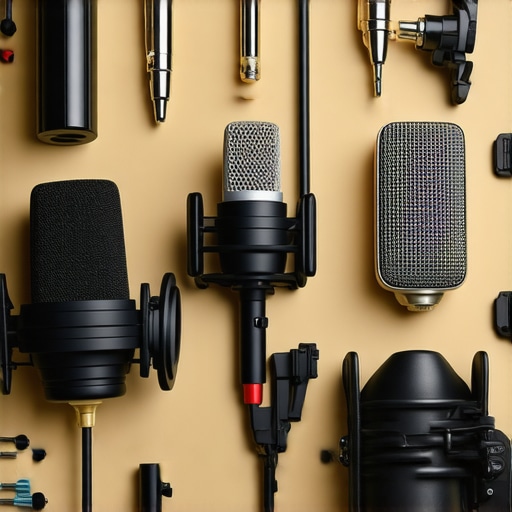
Over the years, I’ve learned that unlocking the full potential of your microphone isn’t just about equipment—it’s about mastering subtle yet powerful techniques. One of the most overlooked secrets? Microphone proximity. When you’re closer to your mic, your voice transforms from flat and distant to rich and commanding. This insight changed my entire approach, and I believe it can do the same for you. If you’re serious about delivering professional-quality voice recordings in 2026, embracing proximity tactics is non-negotiable.
What I Wish I Had Known About Microphone Distance Early On
It took me countless frustrating recordings to realize that being even inches closer could dramatically improve clarity and warmth. I debated spending thousands on fancy gear, but the truth was simpler: I just needed to get my face near the mic. A small change—moving from arm’s length to a few inches away—activated the proximity effect naturally. This bass boost added fullness to my voice without any post-processing. Trust me, understanding this lesson early on could have saved me time, money, and a lot of headaches.
Why Small Adjustments Make a Big Difference
In the world of voice recording, the difference between amateur and pro often comes down to details. Positioning your mic at 2-4 inches can bring out warmth and presence that distant or careless setups miss. Plus, when you sit close, background noise becomes less audible, giving your recordings a studio-like quality. For example, during my last setup, I experimented with angling my shotgun mic—more on that in this article—and noticed immediate improvements that surprised even me. The key is consistency and intentional placement, turning good recordings into great ones.
Connecting Proximity with Other Techniques for Top-Tier Sound
While closeness is crucial, it works best when combined with tools like pop filters and strategic angling. A pop filter allows you to sit in tight proximity without worrying about plosive sounds. Incorporating tilt adjustments—like angling your mic slightly downward—can further isolate your voice and minimize room reflections. Proper gain settings, as discussed in this resource, also complement proximity, ensuring your voice remains warm and distortion-free. Together, these micro-techniques create a professional, compelling sound that’s hard to achieve by just pointing and recording.
Why Your Voice Deserves Your Attention
In today’s competitive content landscape, your voice is your brand. Paying attention to proximity is a simple yet powerful way to ensure your recordings stand out. Don’t let distance or neglect hold back your sound quality. By fine-tuning your positioning, experimenting with angles, and integrating essential accessories, you’re investing in a sonic clarity that resonates with listeners and elevates your podcast or voiceover to new heights in 2026.
About Me

Chesung Subba
Author/Writer
Hello, I'm Chesung Subba, a passionate writer who loves sharing ideas, stories, and experiences to inspire, inform, and connect with readers through meaningful content.
Follow Me
Connect with me and be part of my social media community.
Leave a Reply