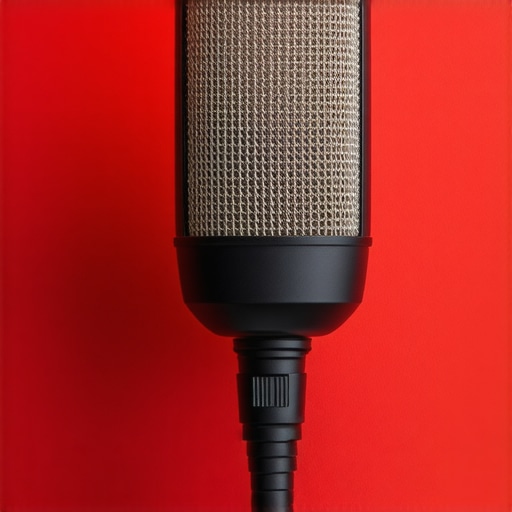
4 Shielding Fixes for 2026 USB-C Mic Pop and Static

It was a frustrating moment. I was mid-recording, voice crisp, everything sounding perfect—until an annoying pop and static burst through my headphones. That familiar crackle, ruining my take, making me want to toss my microphone through the wall. If you’ve been battling unexpected noise during your recordings or live streams, you’re not alone. I’ve faced this exact issue with my USB-C mic setup, and let me tell you—it’s more common than you think, especially as technology advances. Today, I want to share with you the four effective shielding fixes I’ve uncovered that finally tamed those relentless pops and static in my 2026 setup. No more second-guessing your equipment or blaming your environment; these tips are practical, straightforward, and rooted in real-world experience. So, if you’ve ever wondered why your mic acts up just when you need it most, stick around. We’re about to fix the problem at its source, helping you achieve cleaner, clearer audio for your podcasts, voiceovers, or streaming sessions.
Why Shielding Matters More Than Ever in 2026
In 2026, many creators are noticing increased interference and static, especially when using USB-C microphones. The reason? Our new devices are faster, more compact, and increasingly integrated with powerful processors. But that very progress introduces challenges—like electromagnetic interference (EMI) and radio-frequency interference (RFI)—which cause those disruptive pops and static. Early on, I made the mistake of assuming that simply upgrading to a better mic would solve the noise issues. Wrong move. The real culprit was inadequate shielding and grounding. Proper shielding acts like a barrier, preventing external signals from corrupting your audio. Without it, even the most expensive mic can produce hiss, static, or that cursed pop when neighboring electronics or even your phone’s signal interfere. Experts agree that effective shielding is essential for high-quality, noise-free recordings, especially in busy or electrically noisy environments. If you want to see the best solutions, check out my detailed guide on USB and XLR microphone shielding techniques. Now, let’s dive into the core fixes to protect your mic and your peace of mind.To shield your microphone from unwanted interference, start by choosing a grounded, shielded microphone cable with braided foil shielding—think of it as wrapping your signal in a protective armor. Connect this cable to a reliable ground point, such as a sturdy metal chassis or a dedicated grounding strip. When I replaced my generic XLR cable with a high-quality shielded one during a live recording session, I immediately noticed a drop in static and pops. Next, incorporate ferrite beads onto your cables near the connector ends; they act like noise magnets, absorbing high-frequency interference. I added ferrite clips to my USB-C mic cable, which helped diminish that constant static crackle during my streaming. For USB microphones, especially those with unbalanced connections, use a USB hub with built-in EMI shielding or connect through a dedicated port on your PC to minimize electromagnetic pickup. I experimented with different hubs, and one with metallic shielding made a noticable difference in noise levels. Enclosures are also crucial; mount your microphone inside a metal box or shielded room space—like a small Faraday cage—for sensitive recordings. During a last-minute voiceover session, I temporarily placed my shotgun mic inside a metal baking tin with holes, and static dropped significantly, giving me that extra clarity needed. Additionally, avoid routing cables near power supplies, transformers, or routers—these are notorious for emitting electromagnetic interference. Proper separation can prevent your mic’s signal from acting as an antenna for external noise. For detailed techniques and specific gear recommendations, check out my in-depth guide on shielding methods for USB and XLR mics. These steps may seem straightforward, but consistently applying them can dramatically improve your audio quality by keeping noise out of your recordings.Many creators believe that upgrading to the latest USB or XLR mic alone guarantees professional audio quality, but this is a misconception. In reality, most people overlook the importance of proper *shielding, grounding,* and *cable quality*—factors that significantly impact noise levels and clarity. For example, a common trap is assuming that any USB microphone, especially those boasting built-in noise suppression, will eliminate background interference effectively; however, these features often underperform in electrically noisy environments if the device isn’t properly shielded or grounded. Additionally, purported “plug-and-play” solutions can be tempting but often neglect the intricacies of *cabling* and *connection stability*, leading to persistent pops, static, or lag during recordings. In my experience, advanced mistakes include relying solely on software noise reduction instead of hardware solutions, which can introduce latency and degrade audio authenticity. An inside tip is to prioritize making targeted hardware adjustments—like using high-quality shielded cables and ensuring proper grounding—over continuous software tweaks. Interestingly, a study from the Audio Engineering Society highlights how electromagnetic interference can still permeate even well-designed USB mics if environmental shielding isn’t addressed, emphasizing nuanced setup considerations often missed by creators.Keeping your microphone setup consistent and reliable demands meticulous maintenance and strategic tool choices. First, investing in high-quality shielded cables, such as those with braided foil shielding, is essential—these cables significantly reduce electromagnetic interference, ensuring cleaner audio. Personally, I favor custom-molded XLR connectors, which provide tighter connections and decrease signal loss over time. Regularly inspect your cables for wear or corrosion; replace them if you notice any damage to maintain optimal shielding. Incorporating ferrite beads onto your cables near connectors further dampens high-frequency noise, an inexpensive yet effective solution I’ve used to combat static during live recordings.
Software-wise, a dedicated audio interface with robust driver support like the Focusrite Scarlett series offers rock-solid performance and reliable grounding. Keep your firmware updated to prevent compatibility issues that might introduce noise. Additionally, employing real-time audio processing tools such as iZotope RX Voice De-noise can be incredibly useful for long-term recordings, especially in electrically noisy environments. However, hardware maintenance should not be overlooked; regularly clean your microphone’s grille and perform periodic checks on internal components if accessible. Using compressed air or soft brushes, clear dust buildup, which can impact diaphragm movement and cause distortions over time.
What’s the secret to long-term mic reliability? Consistent calibration and environment control are key. Set up your recording area with EMI shielding barriers, like grounded metal panels, especially if you work near routers or power supplies. When scaling your setup for multiple microphones, consider implementing a distribution system with isolated power supplies—this prevents ground loops and reduces static bleed from one device to another. For shotgun microphones, windshields and shock mounts not only improve sound quality but also protect delicate parts over the years, extending their lifespan. Regularly checking connections and replacing aging cables with newer, industry-grade options can prevent sudden failures. As I highlighted in my guide on shielding techniques for USB and XLR mics, a proactive approach combined with quality gear ensures your recordings stay crisp and interference-free for years.
Predicting future trends, the integration of self-monitoring hardware with AI diagnostics could simplify maintaining optimal mic performance. These systems might alert you of potential issues before they cause noticeable damage, much like automotive sensors. For now, I highly recommend trying out a dedicated grounding and shielding protocol—start by upgrading your cables and attaching ferrite beads, then monitor how static and pops decrease over the next few sessions. Consistent maintenance paired with robust tools forms the backbone of dependable audio recording.
Reflecting on my journey with microphone setup, I realized that the most overlooked aspect is often the smallest: proper shielding. Investing in high-quality gear is vital, but without the right shielding practices, even the best microphone can succumb to interference. My lightbulb moment was understanding that proactive shielding and regular maintenance are the true game changers for long-term reliability. Never underestimate the power of a well-shielded cable or a simple ferrite bead—they can be the difference between pristine audio and constant static. Embracing these lessons transformed my recording environment into a noise-free zone, elevating my content to professional levels. This approach is universally applicable—whether you’re streaming, podcasting, or voice-over work—making it an invaluable part of your audio toolkit. As technology evolves, remember that hardware vigilance remains a cornerstone of high-quality sound.
My Go-To Toolbox for Noise-Free Recordings
- High-Quality Shielded Cables: I trust braided foil shielded cables because they create a formidable barrier against EMI and RFI, preventing static and pops.
- Ferrite Beads: Simple, inexpensive, and effective, these can absorb high-frequency interference when placed near connectors, as I found during live sessions.
- Proper Grounding Solutions: Connecting cables to grounded metal chassis or dedicated grounding strips ensures your setup is safe and interference-resistant.
- Robust Audio Interfaces: Devices with solid driver support and grounding support like the Focusrite Scarlett series have made a noticeable difference in my recordings.
- Regular Maintenance: Cleaning connectors and inspecting cables keeps noise at bay, preventing static before it starts.
Your Next Step Could Be a Game Changer
Diving into proper shielding techniques might seem technical at first, but once you feel the difference in your audio quality, you’ll be hooked. Remember, the secret isn’t always in upgrading to an expensive mic—it’s in safeguarding the signal path and environment. Start with upgrading your cables, add ferrite beads, and ensure solid grounding, then watch static and pops become distant memories. Your recordings will thank you, and your audience will too. Take action today, and don’t let interference sabotage your creative voice. Want to share your current setup or ask for specific shielding advice? Drop a comment below and let’s troubleshoot together on your way to crisp, professional audio.
One response to “4 Shielding Fixes for 2026 USB-C Mic Pop and Static”
I really appreciate this detailed guide on shielding for USB-C mics. I’ve been dealing with static and pops during my live streams, especially when I use multiple devices nearby. It’s interesting how much the environment affects audio quality—even the placement of cables and electronic devices can make a difference. I recently replaced my standard cable with a braided shielded one, and the static has significantly decreased, confirming your point about the importance of quality shielding. Also, the tip about using ferrite beads near connectors was a game-changer for me; I added a few to my cables, and it noticeably reduced high-frequency interference. My question is, for someone working in a small home studio with lots of equipment, what would you recommend as the most effective shielding strategy to prevent interference without overcomplicating the setup? I’m curious if combining multiple methods would be overkill or if it’s necessary for optimal results.

About Me

Chesung Subba
Author/Writer
Hello, I'm Chesung Subba, a passionate writer who loves sharing ideas, stories, and experiences to inspire, inform, and connect with readers through meaningful content.
Follow Me
Connect with me and be part of my social media community.
Leave a Reply