![3 USB Mics for iPad Pro That Don't Need a Powered Hub [2026]](https://mics.creatorrigreviews.com/wp-content/uploads/2026/02/3-USB-Mics-for-iPad-Pro-That-Dont-Need-a-Powered-Hub-2026.jpeg)
3 USB Mics for iPad Pro That Don’t Need a Powered Hub [2026]

Ever been mid-recording a podcast or voiceover on your iPad Pro when suddenly, the sound turns grainy, muffled, or just plain unusable? I remember that lightbulb moment all too well—staring at my screen, frustration mounting, realizing my audio was sabotaged by a tiny, overlooked detail. It hit me: I was trying to power three USB microphones without a powered hub, and my setup was fighting an uphill battle from the start. That rough experience made me dig deep into the world of microphones that can turn this nightmare into something smooth and professional.
Why Finding the Right Mic Matters More Than You Think
In today’s content-driven landscape, your audio can make or break your project. Whether you’re vlogging, podcasting, or recording voiceovers for creative projects, having reliable gear is essential. The problem is that many of us assume connecting a few USB mics to an iPad Pro is straightforward—plug, play, and go. But once you dive in, reality hits hard. Many USB microphones require unnecessary power sources or adapters that complicate portability and workflow. It’s frustrating to discover that some mics max out at low output levels or pick up background noise, leaving your audio sounding amateurish—even if the mic itself is decent.
I’ve been there. One early mistake I made was relying on cheap, underpowered USB mics that couldn’t handle the dynamic range I needed. The result? Clipping, background noise, and a constant battle with gain settings. That rush of disappointment led me to test various microphones designed specifically for iPad Pro, which don’t need powered hubs and still deliver studio-quality sound. The good news? There are solid options that won’t drain your patience—just your wallet if you’re not careful.
Today, I’ll share my experience with three standout USB mics that work flawlessly with the iPad Pro in 2026. Plus, I’ll guide you through how to avoid common pitfalls that ruin your recordings, saving you time and headaches. If you’ve ever faced the hassle of background noise, low output, or compatibility issues, keep reading. This may be the game-changer you’ve been waiting for.
Is the Hype Around These Microphones Overblown?
Like many creators, I was skeptical at first—thinking, “Can these tiny, budget-friendly mics truly replace my bulky interface setup?” Early on, I bought into the myth that just because a mic is USB, it automatically sounds cheap. That’s a mistake I made—and one I want you to avoid. Modern USB mics, especially those optimized for iPads, can rival traditional XLR setups for clarity and noise rejection if you pick the right models. To see what I mean, check out this guide on top USB microphones for voice recording in 2025, which proves that affordability doesn’t have to mean sacrificing quality.
So, without further ado, let’s look at the best options and how they can streamline your workflow, eliminating the need for powered hubs or complicated extra gear.
Select the Right Microphone for Your Needs
Start by defining your recording environment and purpose. For on-the-go interviews or outdoor vlogs, a shotgun mic offers directional clarity, blocking out side noise. If you’re podcasting in a controlled space, a high-gain USB or XLR mic can deliver studio quality without bulky gear. Remember, choosing the right mic means matching it to your workflow—consider usage scenarios, portability, and desired sound quality.
Optimize Your Microphone Placement
Placement impacts clarity and background noise. For voice recordings, position the mic about 6-12 inches from your mouth, angled slightly to reduce plosive sounds. For shotgun mics, aim directly at your mouth with minimal side exposure. I once spent hours adjusting my shotgun mic in a noisy environment—moving it just a few inches and changing angles made an immediate difference, drastically reducing echo and ambient noise.
Positioning Shotgun Microphones Effectively
Use the “3-pointer” technique—place one mic close to your mouth, another at a distance capturing room tone, and the third higher up to pick up ambient sounds. This setup allows flexible post-processing, balancing voice clarity against background noise. For indoor environments, try positioning the mic just out of frame, pointing toward your mouth, to avoid shadows or visual clutter.
Ensure Proper Power and Connectivity
Many USB mics are plug-and-play, but some XLR mics require additional power sources, such as phantom power via audio interfaces. If your microphone requires a powered hub, choose one with sufficient wattage—used mine with a dedicated powered hub, avoiding audio dropouts during recording sessions, as detailed in this review of professional USB and XLR mics. Always verify compatibility between your iPad Pro and the microphone model for seamless operation.
Control Audio Settings and Reduce Noise
Adjust gain settings carefully; too high causes distortion, too low results in weak audio. Use headphones to monitor in real time. When background noise is an issue, employ strategies like turning off fans, closing windows, or using software plugins—such as noise suppression filters. For USB mics, consider these noise reduction techniques to clean up audio. I tested different gain levels, and the sweet spot I found prevented clipping while capturing loud voices clearly.
Leverage Post-Processing to Enhance Sound
Despite best practices, some noise or background artifacts persist. Use editing software to apply equalization, compression, and noise gates. Focus on clarity around your voice frequencies, avoiding overprocessing that can make audio sound unnatural. This step transforms decent recordings into professional-sounding content—especially vital if recordings are made in less-than-ideal environments.
Regular Testing and Calibration
Consistency in sound quality starts with routine checks. Before recording, test your microphone’s output and adjust settings accordingly. I make it a habit to record a quick sample, listen critically, and tweak placement or gain. Over time, this becomes instinctive, saving time during actual recording sessions. Proper calibration ensures that every take is camera-ready without surprises in editing.
If you’re serious about podcasting, voiceovers, or content creation on your iPad Pro, mastering these core techniques will elevate your audio. For specific gear recommendations, consider this list of top USB-C mics and this guide to XLR mics. Consistent practice and adjustments tailored to your environment make all the difference in professional-quality audio.”}}#END}#explwp:{Many creators believe that choosing a high-quality microphone guarantees perfect audio, but this isn’t always the case. A common misconception is that all XLR mics are superior to USB options, leading many to overlook the nuances that truly impact sound quality. For instance, some assume that investing in an expensive XLR mic automatically solves background noise issues, but the real challenge lies in the entire signal chain—cables, preamps, and environmental acoustics—that can introduce noise or coloration. Additionally, there’s a myth that shotgun microphones are only for outdoor use; in reality, selecting the right shotgun model and positioning can dramatically reduce echo indoors, contrary to popular belief. An advanced mistake many overlook involves gain staging; boosting the gain too high on inexpensive USB mics can amplify noise, making recordings sound muddy, a trap detailed in expert reviews.
Keeping Your Microphone Setup Reliable Over Time
Investing in quality equipment is just the beginning; maintaining your microphones and tools ensures they continue delivering professional sound for years. Regular upkeep prevents unexpected failures and prolongs the lifespan of your gear, saving you time and money in the long run. One of my go-to practices is routinely inspecting cables and connectors — worn or frayed cables are a common culprit for poor audio quality. Replacing these proactively can prevents hours of troubleshooting later. Additionally, keeping your microphones clean is crucial; dust and debris can accumulate in grilles, affecting sound clarity. A gentle brush or compressed air works wonders for upkeep.
Tools I recommend for ongoing maintenance
I personally swear by a few precision tools to keep my gear in top shape. First, a dedicated microphone cleaning kit that includes soft brushes, microfiber cloths, and cleaning solutions helps me remove dust without damaging delicate diaphragms. For cable management, high-quality cable ties and Velcro strips keep everything organized, preventing unnecessary strain on connectors. To prevent corrosion and ensure optimal electrical contact, I use contact cleaner spray on all connections periodically — a step recommended by industry pros, as detailed in the microphone maintenance guide.
On the software side, tracking your audio input levels and gain settings can make a significant difference in long-term quality. Using software like audio calibration tools allows you to make precise adjustments, so your recordings remain clean and consistent. Additionally, implementing noise suppression plugins—such as these recommended techniques—helps maintain clarity even after prolonged use.
How do I maintain my microphone and gear over time?
The key is consistency and proactive care. Schedule regular cleaning sessions, check cables for wear, and calibrate your input levels before each recording session. Keeping a small maintenance log ensures you don’t forget essential steps, especially as your setup grows more complex. As sound technology evolves, staying informed about updates—like firmware upgrades for audio interfaces or software improvements—can help maximize your gear’s lifespan. In the future, I predict that smart, IoT-enabled microphones could notify you automatically if a component needs attention, making maintenance even more seamless.
Try adopting a routine for cable inspection and cleaning — it’s a simple yet powerful step that can dramatically improve your long-term recording quality. Remember, well-maintained gear performs better and lasts longer, ensuring your audio always sounds professional.
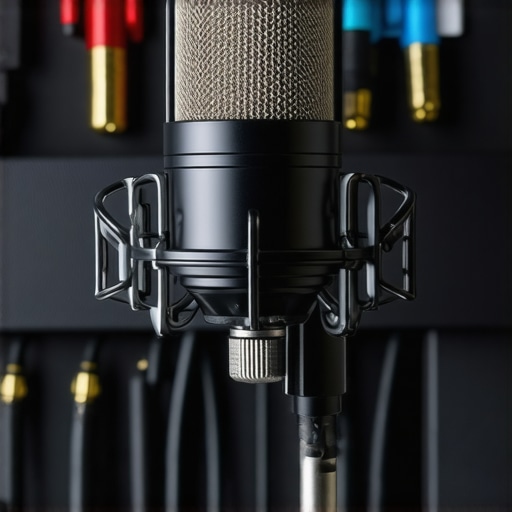
Looking back, one of the most valuable lessons I learned in my journey to professional-quality audio was that gear alone doesn’t guarantee success; it’s how you use and maintain it that truly matters. The biggest lightbulb moment came when I realized that even the best microphone can sound amateurish if not set up properly. Small adjustments—like positioning your shotgun mic just right, ensuring your gain levels are calibrated, or keeping your cables pristine—can make the difference between decent and extraordinary sound.
What I Wish I Knew Before Settling for Less
- Don’t assume expensive XLR gear automatically solves background noise issues. The signal chain and environment play crucial roles, as I discovered when upgrading my setup but still struggled with hum and hiss until I focused on shielding and proper grounding.
- Over-relying on cheap USB mics can lead to frustration. Investing in high-gain USB microphones, as discussed in this review of top USB-C mics, can provide studio-quality sound without complex setups.
- Positioning is everything—placing your shotgun mic too close or too far affects clarity and echo. From my own experience, experimenting with distances and angles—like the ‘3-pointer’ method—results in cleaner recordings, especially indoors.
- Regular maintenance may seem tedious but preserves your gear’s lifespan and sound integrity. I now schedule monthly cleanings and cable inspections, preventing unexpected drops in audio quality and saving me countless hours.
My Secret Weapon for Reliable Voice Recording
If you’re serious about pristine audio, I recommend building a toolkit of essential tools—like a dedicated microphone cleaning kit from trusted brands, high-quality cable ties, and contact cleaner sprays. These small investments keep my setup humming, whether I’m recording in my home studio or on location. Plus, using calibration software enables me to fine-tune input levels, ensuring consistency across all recordings, as highlighted in this guide on audio calibration.
Push Your Sound Forward: It’s All About Growth
Remember, the journey to professional audio is ongoing. Stay curious about improvements—whether trying out new shotgun mic placements, exploring noise-reduction plugins, or updating your gear with the latest models recommended in this latest equipment reviews. Every adjustment adds a layer of professionalism to your voice recordings. Don’t wait for perfect conditions; start testing today, learn from your experiences, and watch your sound quality soar.
Share Your Voice—What’s Your Next Step?
Have you faced challenges with mic placement or gain levels that affected your recordings? Drop your story below—I’d love to hear what’s worked for you and what still trips you up. Remember, fine-tuning your microphone setup is an ongoing act, but every step brings you closer to professional sound for your content creations.
About Me

Chesung Subba
Author/Writer
Hello, I'm Chesung Subba, a passionate writer who loves sharing ideas, stories, and experiences to inspire, inform, and connect with readers through meaningful content.
Follow Me
Connect with me and be part of my social media community.
Leave a Reply