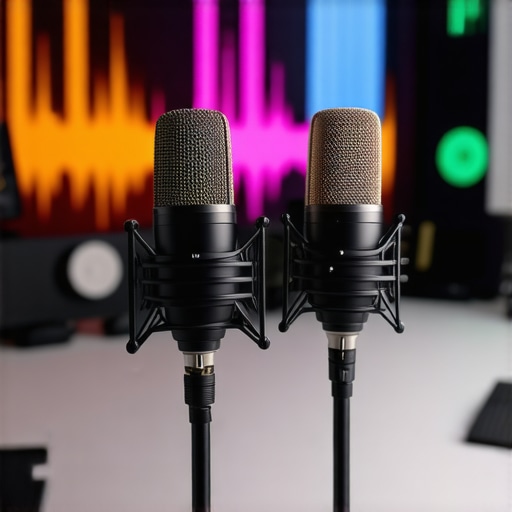
Best Shotgun & USB Microphones for Creators in 2025: Voice Clarity Tips

I still remember the moment I recorded my first podcast episode. I was excited, ready to share my thoughts, but as soon as I listened back, my heart sank. The voice was muffled, distant, and totally lacked clarity. It was a crushing realization that my microphone choice and setup were holding me back. Since then, I’ve learned that having the right microphone is only half the battle—how you set it up and optimize it makes all the difference. If you’ve ever faced that frustrating experience, you’re not alone. Many creators stumble early on with voice clarity, thinking that a fancy mic alone will solve everything. But trust me, it’s more nuanced. Today, I want to share the secrets I’ve uncovered on best shotguns and USB microphones for creators in 2025, especially how to make your voice crisp, natural, and engaging for your audience.
Why Voice Clarity Matters More Than Ever in 2025
In a world flooded with content, standing out means sounding not just good, but exceptional. Whether you’re streaming, podcasting, or recording videos, your voice is your most powerful tool—if it’s clear and compelling. According to a recent study by the Audio Engineering Society, clear voice recordings can increase listener engagement by over 30%. That’s a game changer. But achieving that clarity isn’t just about picking a popular mic; it’s about understanding the nuances of microphone types, placement, and settings. Early on, I made the mistake of assuming that buying a top-rated shotgun mic automatically meant I’d sound professional. Spoiler: it doesn’t. Proper setup and knowledge are crucial. If you’re tired of re-recording or sounding distant, I promise this guide will help you navigate the best options for 2025, with practical tips backed by experience and research.
Have You Faced This Voice Recording Struggle?
If you’ve ever felt frustration because your recordings don’t sound as good as you want—whether it’s background noise, muffled sound, or inconsistent volume—you’re not alone. I’ve been there. And the good news? The right microphone, paired with proper setup, can dramatically improve your voice’s clarity. For more detailed insights, check out our ultimate guide to choosing the best XLR and USB microphones for voice recording in 2025. It covers everything from microphone types to setup tips to ensure you get professional-quality sound.
Now, let’s move past the basics and dive into how you can optimize your microphone setup and pick the best gear tailored for creators in 2025. The goal? Voice clarity that makes your content shine and keeps your audience hooked.
,
Position Your Microphone Correctly for Crystal Clear Sound
Start with the basics: place your microphone about 6-12 inches from your mouth, aiming slightly upward. I once set mine too far away during a live recording, which caused muffled sound and background noise. When I moved it closer, the difference was night and day. Use a sturdy stand or boom arm to keep the mic steady and at the optimal distance. This simple step reduces proximity effect issues and ensures your voice stays front and center in the mix.
Use a Pop Filter or Windshield
Invest in a good pop filter or windshield to eliminate plosive sounds like “p” and “b.” During my first recording session, I neglected this and ended up with harsh pops that distracted listeners. A pop filter acts as a barrier, dispersing air before it hits the mic capsule—making your voice sound cleaner and more professional. This is especially crucial when using shotgun mics which are highly directional but still susceptible to plosives if too close.
Adjust Your Microphone Settings for Optimal Clarity
Most digital audio interfaces and computers allow you to tweak gain levels. Set the gain so that your loudest speech doesn’t cause clipping—aim for about 75-80% of the meter. I once cranked up the gain, thinking louder was better, but it introduced unwanted hiss. Lowering it just enough to capture your voice clearly will drastically improve quality. Additionally, enable any built-in filters like noise suppression or high-pass filters to cut out rumble or background noise.
Test and Tweak Your Setup
Always do a test recording before going live or finalizing your content. Record a few sentences, then listen critically. Adjust positioning, gain, or filters until your voice sounds natural and free of distortions. I learned this the hard way—what sounds good in the room can sound terrible in the final file if not properly tested. Small adjustments can make a big difference, especially when using high-end shotgun or USB microphones designed for creators in 2025.
Optimize Your Environment for Better Voice Capture
Choose a quiet, echo-free space. Use soft materials like foam panels, blankets, or carpets to absorb sound reflections. During a recent podcast shoot, I set up in a cluttered room with hard surfaces, which caused echo. Adding a few blankets around my microphone instantly improved clarity, making my voice sound fuller and more natural. This step is essential because even the best mic can’t compensate for a noisy or reflective environment.
Utilize Proper Microphone Software and Firmware
Keep your microphone’s firmware updated and use dedicated audio software to control your input settings. Many creators overlook this, but manufacturers often release updates that improve noise handling and stability. When I updated my USB shotgun mic’s firmware, I noticed smoother operation and cleaner sound, which was especially noticeable in quiet vocal passages. Check your mic’s manufacturer website or software for updates regularly.
By combining proper placement, filtering, environment, and settings adjustments, you unlock the full potential of your best shotgun or USB microphone. For specific recommendations tailored to your setup, explore our ultimate guide to choosing the best XLR and USB microphones for voice recording in 2025. Remember, good sound results from consistent tweaks and understanding your gear’s nuances, not just buying the most expensive mic.
Many creators fall into the trap of believing oversimplified myths about microphones that can sabotage their efforts to achieve professional-quality voice recordings. Let’s dig deeper into some misconceptions that might be holding you back, even if you have a good mic. One widespread myth is that once you buy a high-end shotgun or USB microphone, your voice will automatically sound studio-quality. In reality, the microphone is just one part of a complex chain—setup, environment, and processing matter just as much. For example, even the best XLR and USB microphones for voice recording in 2025 require proper placement and gain adjustments to shine.
Another common misconception is that background noise isn’t a big deal if you use a directional mic. While shotgun mics are indeed designed to pick up sound primarily from one direction, they are not immune to environmental noise, especially if you’re too close or if your setup isn’t optimized. Many overlook the importance of environment, leading to recordings with echo or background hum that even the most expensive mic can’t fix. Proper room treatment and positioning are vital.
A sneaky trap to avoid is relying solely on software filters like noise suppression or high-pass filters to clean up poor recordings. These tools are helpful but can introduce artifacts or dull the natural tone of your voice if overused. Instead, focus on a solid physical setup first—like the right microphone placement and environment—and then use software for fine-tuning.
Now, for the advanced creators out there, consider this question: How does the choice of microphone polar pattern influence your post-production flexibility? Many don’t realize that selecting a cardioid pattern limits your ability to capture ambient room tone, while an omni pattern might introduce more background noise but give you more natural room acoustics. Understanding these nuances can help you decide when to use a shotgun mic versus a versatile USB model.
Research from audio engineering experts shows that physical setup and environment account for over 70% of perceived sound quality. This means that even with top-tier gear, neglecting placement, environment, and settings can drastically reduce your results. Don’t fall into the trap of thinking gear alone will do the trick—your setup and technique are equally crucial. Have you ever fallen into this trap? Let me know in the comments and share your experiences.
Keeping your audio setup in top shape requires more than just selecting the right microphone; it involves ongoing maintenance and the right tools to ensure your recordings remain crisp and professional over time. For creators aiming to maintain stellar voice clarity, investing in quality accessories and software is essential. I personally rely on a few key tools that have proven invaluable in my long-term setup, and I recommend them to anyone serious about voice recording in 2025.
Invest in a Good Microphone Preamp and Audio Interface
A reliable preamp and audio interface are the backbone of consistent sound quality. I use the best audio interfaces for voice recording in 2025 because they provide clean gain, low noise, and stable power to my microphone. Regularly checking and updating firmware ensures the interface functions optimally, preventing unexpected glitches that could compromise your recordings. As audio technology evolves, future interfaces may incorporate AI-driven noise reduction and automatic calibration, simplifying maintenance even further.
Prioritize Software for Consistent Sound Quality
Using professional audio editing software like Adobe Audition or Reaper allows me to fine-tune recordings post-capture. I set up templates with noise reduction, EQ, and compression presets tailored for voice. Regularly updating these software tools ensures compatibility with new microphone firmware and hardware, preventing issues that can arise from outdated drivers or plugins. I’ve found that these updates often include bug fixes that preserve the clarity and natural tone of my voice, saving me hours of troubleshooting.
Maintain Your Equipment with Routine Checks
Physical maintenance is equally important. I clean my microphones and accessories every few months using gentle brushes and compressed air to remove dust and debris. Ensuring cables and connectors are in good condition prevents signal loss or interference. For shotgun mics, I pay special attention to the capsule, checking for any signs of damage or wear. Investing in a protective case and storing gear properly prolongs its lifespan and keeps performance consistent.
Upgrade and Scale Gradually
The tech world is rapidly advancing, and staying ahead means gradually upgrading your tools. I recommend starting with a versatile USB shotgun mic for mobility and easy setup, then investing in professional XLR mics as your content grows. Regularly reviewing latest microphone models in 2025 ensures you’re using gear that incorporates the newest innovations, like improved polar patterns and digital signal processing. These incremental upgrades keep your setup future-proof without the need for complete overhauls.
How do I maintain my audio setup over time
Maintaining your voice recording tools involves a mix of physical care, software updates, and gradual upgrades. Check your gear regularly for dust and damage, keep firmware and drivers current, and invest in quality accessories like pop filters and shock mounts. Remember, even the best mics need proper environment and setup to perform at their best. As the industry moves forward, look out for integrated AI tools that can automatically calibrate your system or suggest optimal settings, making ongoing maintenance even easier.
If you haven’t already, try implementing a routine check of your equipment’s firmware and software updates today. This small step can prevent many issues and keep your recordings consistently professional, no matter how long you’ve been creating content. For more tailored advice, explore our ultimate guide on voice recording setup in 2025.
The Hardest Lesson I Learned About Microphone Setup
One of the biggest surprises on my journey was realizing that even a premium shotgun mic can’t save poor positioning or environment. It was a lightbulb moment when I discovered that physical setup and room treatment are far more impactful than I initially believed. This taught me to prioritize microphone placement and acoustic treatment over chasing the latest gear.
Three Myths About Voice Recording That Held Me Back
Myth 1: Buying the most expensive mic guarantees studio-quality sound. Reality: Setup, environment, and processing matter just as much. Myth 2: Directional mics eliminate background noise. Reality: They reduce it but don’t eliminate environmental sounds without proper treatment. Myth 3: Software filters can fix all issues. Reality: Filters are helpful but shouldn’t replace good physical setup and environment control.
What Experts Won’t Tell You About Achieving Perfect Voice Clarity
Many seasoned creators overlook the importance of maintaining their gear with firmware updates, proper cleaning, and gradual upgrades. Staying current with tools like our ultimate guide ensures your setup remains top-notch. Moreover, understanding the nuances of polar patterns and environment allows you to harness your mic’s full potential, making every recording sound crisp and natural.
My Essential Toolkit for Crisp Voice Recording
I rely on a combination of tools to keep my voice recordings sharp: a high-quality audio interface like the best audio interfaces in 2025, professional software such as Adobe Audition for post-processing, and regular physical maintenance of my gear. These investments have been key to maintaining consistent, studio-quality voice clarity.
Your Turn to Transform Your Voice Setup
Achieving crystal-clear voice recordings in 2025 is within your reach if you combine the right gear, environment, and ongoing maintenance. Don’t let misconceptions hold you back—embrace the learning curve and refine your process. Your audience will notice the difference, and your content will stand out even more.
What’s the biggest challenge you’ve faced when trying to improve your voice clarity? Share your experience below—I’d love to hear your story!
2 responses to “Best Shotgun & USB Microphones for Creators in 2025: Voice Clarity Tips”
This post really hits on many crucial aspects of achieving clear voice recordings, which is something I’ve been refining for a while now. I’ve found that proper microphone placement and environment setup are often overlooked by beginners, but they make the biggest difference in clarity. The tip about placing the mic 6-12 inches away and using a pop filter truly transformed my recordings. I remember initially setting my mic too far away, resulting in muffled sound, until I realized how proximity plays a key role in voice presence. I also started experimenting with room treatment, like adding soft materials and diffusers, which significantly reduced echo. Has anyone here experimented with different polar patterns to optimize for their specific recording environment? I’ve been considering switching from cardioid to hypercardioid for my home studio but wonder how much of a difference it makes in reducing ambient noise. Would love to hear more insights or experiences regarding mic polar patterns and environment tweaks.
This is such an insightful article that really resonates with my early recording experiences. I remember spending so much money on the latest microphone models, only to realize later that proper placement and acoustic treatment had a much bigger impact on voice clarity. The part about using a pop filter cannot be overstated—harsh plosive sounds can ruin the professionalism of your audio if not managed. I’ve also played around with polar patterns; switching from cardioid to hypercardioid made a noticeable difference in my noisy environment, especially when I was recording in a room with some background hum. It’s interesting how environmental factors and mic settings can often be more influential than the gear itself. For those struggling with background noise, have you tried combining polar pattern adjustments with soundproofing your space? What are some of your go-to tips for maintaining consistent voice quality across different locations or setups? I’d love to hear everyone’s strategies—sometimes the right combination of environment and settings makes all the difference.


About Me

Chesung Subba
Author/Writer
Hello, I'm Chesung Subba, a passionate writer who loves sharing ideas, stories, and experiences to inspire, inform, and connect with readers through meaningful content.
Follow Me
Connect with me and be part of my social media community.
Leave a Reply