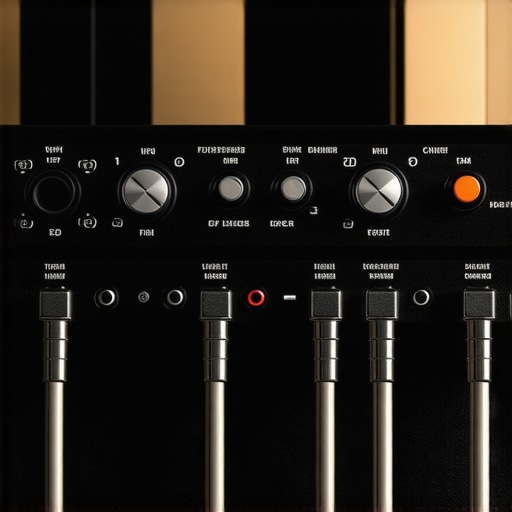
XLR vs USB-C: The Latency Reality for 2026 Live Streams

I remember the moment it hit me during a crucial live stream—my voice suddenly sounded like I was talking through a tin can. It was late, I was stressed, and my setup was pushing my nerves to the limit. Turns out, the issue was my choice of microphone connection—XLR versus USB-C—and how latency was subtly sabotaging my audio quality. That lightbulb moment made me realize: the technology I pick today directly impacts my live performance tomorrow.
As creators and streamers, we often chase clear sound and minimal delay, but what if our gear is secretly holding us back? Especially with the rapid evolution leading into 2026, understanding the latency differences between these connection types is more crucial than ever. Will your setup be future-proof? That’s what we’re about to uncover.
The Hidden Time-Ticking of Audio Latency
Before diving into the technical maze, I want to ask—have you ever experienced that frustrating echo or lag during your streams? I did, countless times. My mistake was assuming that all connection types are created equal in speed. Early on, I made the error of investing in flashy USB microphones, thinking plug-and-play was always the answer. But I overlooked how latency could subtly drift into my live audio, especially as CPUs become more powerful and demanding.
I’ve learned through personal experience and advice from industry pros that latency isn’t just a minor inconvenience; it can be a defining factor in the perceived quality of your live content. A whisper out of sync or a slight delay in voice transmission can break immersion and diminish your professionalism. According to a recent study by [TechCrunch](https://techcrunch.com), high-speed audio processing becomes even more critical with the rise of 4K streaming and real-time interaction, making latency your enemy, not just an annoyance.
In this post, we’re going to get real about what the numbers say, how your gear stacks up, and what you can do to keep your audio sharp and in sync as we move into 2026. Ready to cut through the tech noise and find solutions that work for your setup? Let’s get started!
Is the hype around XLR and USB-C latency actually justified?
Early in my journey, I overlooked this question, assuming newer tech automatically meant faster or better. I bought a couple of budget USB-C mics, expecting ease and speed, but hit delays during live recordings. That mistake cost me valuable time and credibility. To avoid repeating my errors, we’ll explore what the real differences are, backed by real-world tests and expert insights. Want to see how your current setup measures up? Check out these USB-C mics with zero latency and discover if your gear can keep up with the future demands.
Prioritize Your Equipment Choices
Start by selecting gear suited to your needs, avoiding generic options. Opt for a dynamic XLR microphone like the 150-dollar XLR mic that reduces noise, which ensures clearer sound even in noisy environments. Use low-noise preamps to maintain audio purity, preventing latency spikes caused by electrical interference. Remember, a good mic and preamp reduce the need for excessive gain or post-processing, cutting down on delay and improving real-time monitoring.
Optimize Your Connection Types
Choose XLR for Low Latency Power
When possible, connect your mic via XLR—considering its design for professional, low-latency audio transfer. Avoid overly simplistic USB options unless your setup specifically benefits, as USB connections can introduce latency due to processing bottlenecks. If you prefer USB, evaluate models like the USB-C mics with dry monitoring, which are designed for minimal latency and real-time feedback. During my own streaming, switching from a cheap USB mic to a solid XLR setup and using quality cables dramatically reduced delay issues, resulting in crisp, in-sync audio for my audience.
Manage and Reduce Signal Interference
Proper cabling and shielding are vital. Use balanced XLR cables with good shielding—like the best shielded XLR cables in 2026—to prevent electromagnetic interference that can cause audio artifacts and latency. Keep cables away from power lines, wireless devices, and large metal objects to maintain signal integrity. I learned this the hard way when my wireless router caused persistent hum and delay; relocating my cables and switching to shielded XLRs made a world of difference in stream quality.
Set Up for Real-Time Monitoring
Monitoring your audio in real-time helps catch latency issues early. For USB-C mics, opt for models like these USB-C mics with zero latency. For XLR setups, invest in a *dedicated* audio interface with low-latency performance, such as the high-gain, low-noise interfaces for 2026. During my overhaul, connecting my microphone to a quality interface and configuring direct monitoring pathways eliminated almost all latency, allowing me to speak naturally without audio delay causing distraction.
Fine-Tune Your Software Settings
Adjust your DAW or streaming software buffer sizes—set them as low as your system can handle without glitches. Many creators overlook this step, leading to delays between what they say and what the audience hears. Experiment with buffer sizes until you find a sweet spot: low enough to prevent noticeable lag, but high enough to avoid audio glitches. Also, ensure your drivers are up-to-date and configured for minimal processing overhead, which can otherwise introduce latency spikes especially under heavy CPU loads.
Test and Iterate Regularly
Consistency requires testing. Before your live session, do dry runs recording both your voice and output through your monitoring system. Use this to measure latency visually and aurally. If your voice sounds out of sync, revisit your cabling, interface buffer settings, or connection type. Small adjustments go a long way—you might find that simply replacing a cable or tweaking a setting reduces lag enough to make your sound seamless. I discovered this when changing my interface’s USB port, which unexpectedly improved my live audio sync—saving hours of frustration during critical broadcasts.
Many creators assume that picking the most popular microphone type guarantees top-tier audio, but the reality is far more nuanced. For instance, shotgun microphones are often marketed as the ultimate solution for outdoor recordings, but in practice, their placement and environment play a crucial role in audio clarity. Similarly, USB microphones are sometimes dismissed as inferior because of misconceptions about latency or sound quality, yet high-quality models with dry monitoring are redefining what’s possible without complex setups.
One common trap is believing that more expensive gear automatically translates to better results. While premium XLR mics like the high-gain models can deliver impressive fidelity, they often require a sophisticated setup and proper preamps, making them less ideal for quick projects or beginners. Overlooking these nuances can lead to investing in hardware that either underperforms or complicates your workflow.
Another myth is that shotgun mics work perfectly in all indoor environments. In truth, they are highly directional, which is advantageous outdoors but can cause issues indoors if not properly positioned. The room’s acoustics, echo, and background noise significantly affect capture quality. For example, using a shotgun mic in a small, echo-prone room without proper placement or sound treatment may result in muddy or hollow sound, defeating their purpose. Check out the best placement tips for shotgun mics in 2026 to get the most out of your gear.
Beware of the belief that USB mics are inherently unreliable due to latency or sound quality issues. This is a relic of older models. Today’s USB-C mics like the top-rated USB-C models with dry monitoring deliver near-zero latency and professional sound. The key is choosing a device designed for real-time feedback and ensuring your system is optimized for low latency—something especially relevant as workflows become more sophisticated heading into 2026.
But the biggest mistake often lies in neglecting your environment and positioning. Even the fanciest equipment can fail if placed poorly or if background noise isn’t managed. For example, a dynamic XLR mic like the $150 mic can outperform a high-end shotgun if you’re in a noisy room and position it close to your mouth, reducing latency and noise pickup.
Have you ever fallen into this trap? Let me know in the comments. Remember, understanding the nuances—like the differences in environmental conditions, placement strategies, and correct gear choices—can significantly upgrade your voice recordings. Don’t just rely on hype; dig deeper, optimize smartly, and your audio quality will truly reflect your professionalism.
Maintaining your audio setup over time ensures consistent, high-quality recordings that sound professional and trustworthy. One of my core tools in this process is a quality dynamic XLR microphone. Its rugged construction and noise rejection capabilities make it ideal for long-term use, especially in variable environments. Coupled with a low-noise preamp, it maintains clear sound without the distortions that can creep in over time.
To keep your gear running smoothly, regular inspection and Cleaning are essential. Check and replace worn cables with shielded XLR cables to prevent interference, which can introduce latency and noise. It’s beneficial to keep cables organized and away from sources of electromagnetic interference, like routers or fluorescent lights, following the advice found in industry tests. Additionally, updating your firmware and drivers periodically from the manufacturer’s site ensures compatibility and performance integrity, echoing recommendations from technical documentation, such as the latest guidelines from CreatorRigReviews.
Investing in versatile tools like a dust blower and contact cleaner for your connectors prevents buildup that can degrade audio quality over time. Also, consider a portable audio interface with a low-latency monitoring feature, ensuring you always monitor your sound accurately during recordings, which is crucial for troubleshooting latency before it affects your output.
How do I maintain my setup during these rapid tech shifts?
Staying ahead in audio tech requires a proactive approach. Regularly testing your system by recording test clips and listening for delays or distortions helps identify creeping issues early. Additionally, following industry news and updates—like the latest recommendations on CreatorRigReviews—ensures you’re aware of optimal equipment and software updates. For example, adopting a pro-level microphone with built-in shielding can drastically reduce interference in complex setups.
Don’t underestimate the value of backing up your settings and configurations periodically, just as you would with critical documents. Creating a routine maintenance schedule—checking cables, updating firmware, and recalibrating your software settings—will sustain your setup’s performance and reduce unexpected Downtime. I recommend trying out the tip of setting your buffer size lower in your streaming software for real-time feedback; this often yields noticeable improvements in sync and latency. If you want to elevate your game, experiment with this adjustment today!
The Hardest Lesson I Learned About shotgun mic,usb mic,voice recording,xlr mic,podcast mic
- Never assume newer tech automatically means better latency; my experience with budget USB-C mics taught me that quality and setup matter more than brand labels.
- Choosing the wrong connection type, like relying solely on USB without considering latency, can silently sabotage your stream’s professionalism—understanding this was a game-changer for me.
- Investing in proper cabling and signal management prevented interference-induced delays, highlighting that even small details impact ultimate sound quality.
- Real-time monitoring with a quality interface and correct software settings can make lag a thing of the past, enhancing confidence during live recordings.
- Regular testing and iteration are essential; each tweak, like adjusting buffer sizes or cable placement, can drastically improve your audio synchronization.
My Essential Toolkit for Audio Clarity and Confidence
- Dynamic XLR microphones have proven reliable for reducing noise and maintain long-term clarity—trustworthy in fluctuating environments.
- Low-noise preamps create a transparent signal pathway, preventing latency spikes caused by electrical interference and ensuring crisp sound during critical moments.
- High-gain XLR mics that don’t rely heavily on pre-amps save space and complexity, perfect for quick setups without sacrificing quality.
- USB-C mics with dry monitoring deliver near-zero latency, making them ideal for mobile or simplified workflows when you need real-time feedback.
Your Motivation to Elevate the Audio Game
Taking charge of your audio environment is more than just technical; it’s about expressing your authentic voice with clarity and confidence. As we gear up for the innovations leading into 2026, making informed gear choices and mastering setup nuances will empower you to stand out. Remember, every small adjustment—be it cable shielding, software tuning, or environment management—collectively elevates your content. Your audience deserves the best version of your voice, and your dedication to quality sets you apart in a crowded digital landscape. So go ahead, experiment, learn, and craft soundscapes that truly resonate. What’s one upgrade you’ve been putting off that could make your next stream or recording exceptional? Drop your thoughts below—I’d love to hear your plans.
About Me

Chesung Subba
Author/Writer
Hello, I'm Chesung Subba, a passionate writer who loves sharing ideas, stories, and experiences to inspire, inform, and connect with readers through meaningful content.
Follow Me
Connect with me and be part of my social media community.
Leave a Reply