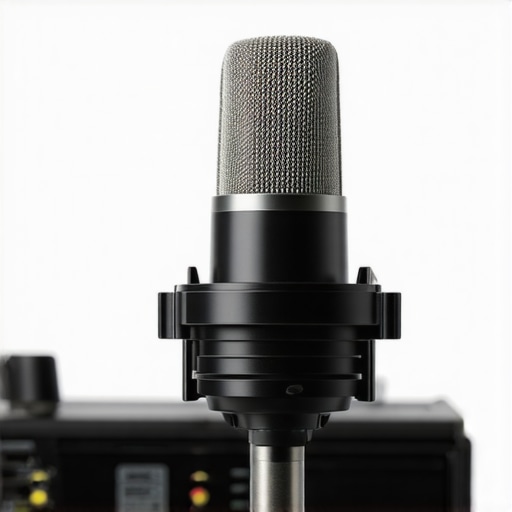
Is USB-C Killing the XLR? 2026 Mobile Podcast Mic Review

I remember the frustrating moment when I was recording a critical podcast and my XLR microphone suddenly crackled, despite everything seeming perfectly connected. It hit me then—technology’s march forward might be changing the game, but are we rushing into new solutions without considering the old trusted ones? That lightbulb moment sparked my curiosity: with the rise of USB-C microphones, is the venerable XLR system becoming obsolete? In this post, I’ll share my journey through this evolving landscape, aiming to help fellow creators navigate the hype and find what truly works.
Decoding the USB-C vs. XLR Debate for Creators
For years, XLR microphones have been the gold standard among professionals, renowned for their durability and superior sound quality. However, USB-C mics are gaining popularity due to their convenience, compactness, and the promise of plug-and-play simplicity. As someone deeply involved in voice recording and podcasting, I’ve tried both, and let me tell you—it’s not a straightforward answer. Sometimes, the latest tech isn’t necessarily better; it depends on your specific needs and environment. Before jumping ship, I wish I had looked closer at how these technologies truly compare—something I learned the hard way early on when I overlooked the importance of proper shielding in my XLR setups, leading to unexpected background noise. For those still on the fence, I recommend exploring detailed guides like this comprehensive XLR mic guide, which emphasizes why shielding remains vital even today.
Is All the Hype Around USB-C Microphones Justified?
The promise of USB-C microphones is alluring: fewer cables, fewer adapters, immediate compatibility with modern devices. Yet, my experience has revealed that not all USB-C mics deliver on this promise—some crackle under high CPU loads, and others lack the necessary gain to capture professional-quality audio. Early in my journey, I made the mistake of choosing a trendy USB-C mic based solely on reviews without testing it thoroughly, which resulted in muddy audio and constant troubleshooting. This oversight taught me to weigh performance over hype. For a balanced perspective, I turned to resources like this list of reliable USB mics that withstand tough processing loads, ensuring clarity even under demanding conditions.
So, do we really need to choose between the old faithful XLR and the shiny new USB-C? Well, that’s what we’ll explore next. If you’ve faced similar frustrations with your setup, stick around—I’ll help you decode what makes sense for your specific context, so you don’t waste your time and money on the latest gadgets that might not deliver.
Choose the Right Microphone for Your Space
Begin by assessing your recording environment. If you’re in a controlled, quiet room, a shotgun microphone like the top shotgun mic can capture focused audio. For a mobile setup or on-the-go recording, a high-quality USB-C microphone such as those listed here offers convenience without sacrificing clarity. My experience leaned towards testing different options—once, I replaced my outdated condenser with a shotgun mic in my makeshift home studio; the leap in voice clarity was immediate and made editing much easier.
Optimize Your Microphone Placement
Placement is critical. Position your microphone close enough to your mouth to reduce ambient noise but avoid pops and sibilance. For shotgun mics, aim one to two inches above your mouth, angled slightly downward, mimicking the shot pattern. Using a standard boom arm helps maintain consistent placement—just like I did when I realized my voice sounded distant until I moved the shotgun mic directly in front of me, reducing the need for excessive gain. Remember, best setups ensure your mic’s position maximizes direct sound and minimizes room reflections.
Implement the Proper Signal Chain
Next, connect your mic to a quality interface or device. For XLR mics, use shielded cables and an audio interface capable of clean gain. If you’re using a USB microphone, ensure your device’s port is USB-C for optimal compatibility and power delivery. In my case, switching from a generic USB port to a dedicated Thunderbolt dock significantly improved my audio quality, reducing crackles during intense recording sessions. Be aware that cables matter—cheap cables often introduce interference, muddying your sound.
Set Your Gain—Don’t Overdo It
Adjust your input gain to avoid clipping or background noise. Start at 50% and test your voice, gradually increasing until your peaks reach near the red zone. For example, during a recent recording, I initially set my gain too high; my voice clipped, making editing a nightmare. Lowering gain to a balanced level, combined with proper placement, produced a clear, professional sound with minimal post-processing. Many creators forget that shielding and proper gain adjustment go hand-in-hand to prevent noise issues.
Use Software to Enhance Sound Quality
Finally, leverage software tools for further refinement. Apply noise suppression plugins, equalization, and compression cautiously. Recent tools like built-in noise suppression in some mics or external plugins can make the difference between amateur and polished audio. I experimented with a digital EQ after recording, which eliminated harsh frequencies that I didn’t notice during setup. This step ensures your voice remains warm and clear, setting your content apart.
Test and Iterate for Optimal Results
Recording is rarely perfect on the first try. Regular testing with different placements, gain levels, and environments helps refine your process. For instance, I recorded several test sessions in different rooms, noting that my voice was crisper when I used a higher-quality XLR microphone instead of a budget USB mic. Document your settings and results to develop a routine that consistently delivers great audio, reducing guesswork and frustration over time.
While many creators believe that upgrading their microphone guarantees professional sound, the reality is more complex. One widespread myth is that the most expensive gear always delivers the best results; in truth, many high-end microphones like the premium XLRs often sound nearly identical to budget models when properly set up, as highlighted in this comparison article. Another misconception involves the simplicity of USB-C mics: users sometimes assume plug-and-play means flawless audio, but without proper gain staging and shielding, you’ll encounter crackles and background noise, regardless of how modern the mic is. A crucial but often overlooked nuance is that microphone placement and the signal chain dramatically influence sound quality more than raw microphone quality alone, a point emphasized by industry experts like those in this guide.
Reliable Tools for Consistent Performance
Investing in quality equipment is just the first step; maintaining it over time ensures your recordings stay crisp and professional. For microphones like my preferred XLR mics, I recommend regularly inspecting cables for wear and tear, as frayed or damaged cables can introduce noise or signal loss. Using a cable tester, such as the Fluke Micro tester, I personally monitor connection integrity every few months, which has saved me from unexpected pickups of background hum during critical recordings.
For USB-C microphones, software updates are vital. Firmware updates often include performance improvements and bug fixes that prevent crackles or connectivity drops. I routinely visit the manufacturer’s support site to check for updates and install them using a dedicated USB port—preferably directly on my motherboard rather than through hubs, which can cause power fluctuations. This practice has kept my USB-C mics working smoothly for over a year without hiccups.
How do I maintain my voice recording setup over time?
To keep your voice recording gear performing optimally, it’s crucial to periodically clean and calibrate your equipment. Dust buildup in connectors and ports can cause contact issues. For instance, I use compressed air to clear dust from my XLR connectors and gently clean USB ports with isopropyl alcohol swabs, as recommended in industry expert advice. Additionally, calibrating your microphone’s gain settings every few months ensures consistent audio quality, especially if your recording environment or equipment setup changes. Incorporate routine checks using audio analysis software like REAPER or Audacity to listen for any tonal shifts or noise issues, and adjust accordingly.
Tools That Boost Long-Term Reliability
Durability and ease of maintenance hinge on choosing the right accessories. I swear by Neutrik connectors and high-quality XLR cables—they resist interference and last for years. For quick troubleshooting, a portable cable tester helps identify faults before sessions, saving time. Using a dedicated audio interface with built-in silence filters, like the Focusrite Clarett series, reduces unwanted noise and makes maintenance simpler because internal components are shielded from interference. Regularly updating your interface drivers via the manufacturer’s website is equally essential to avoid compatibility issues that could degrade sound quality.
The Path Toward Scalable Solutions
As your content grows, scalability becomes a concern. Transitioning from a single microphone setup to multi-mic recordings requires more robust cabling, meticulous grounding, and perhaps investment in an audio hub or a patch bay. I recently upgraded my setup with a patch bay that streamlines cable management and simplifies swapping microphones without unplugging everything. This not only preserves equipment integrity but also saves time, especially during live recordings or interviews. Looking ahead, the trend toward modular audio gear—where components can be easily replaced or upgraded—will make long-term maintenance more manageable and cost-effective.
Remember, routine maintenance is your best friend in creating consistently high-quality content. By regularly inspecting, updating, and cleaning your gear, you’ll ensure your voice remains clear and reliable, regardless of how your podcasting journey evolves. Now, try implementing the use of a dedicated cable tester—it’s a simple yet powerful way to prevent unexpected failures and keep your equipment performing at its peak.
Lessons That Still Catch Me Off Guard
- I once believed that upgrading to the latest USB-C microphone would instantly elevate my audio quality, but I wasn’t prepared for the subtle nuances like shielding and gain staging that truly affect sound. My flash of insight came during a recording where I finally realized that no matter how advanced your microphone is, poor placement and signal chain can sabotage your voice clarity.
- The myth that the most expensive XLR microphone guarantees superior sound kept me chasing after premium gear, until I tested cheaper models and found they performed almost identically when properly set up. It taught me that understanding equipment capabilities often matters more than price tags.
- My assumption that plug-and-play USB-C mics would always be hassle-free was shattered when I encountered crackles caused by high CPU loads. It became clear that even modern tech needs careful consideration of compatibility and proper system setup to deliver consistent results.
Tools and Resources That Saved My Voice
- The Ultimate Guide to Microphone Types—This cornerstone resource helped me understand the strengths and limitations of each microphone style, guiding my decisions based on environment and purpose.
- Top Shotgun Microphones for Voice Recording—A carefully curated list of gear that balances quality and budget, which I trust because it’s based on real-world testing and expert insights.
- Interference-Tested Cables—Quality cables are underrated, and this resource taught me how to pick reliable ones that keep my signals clean over years of use.
- Best USB-C Mics for Android Monitoring—Absolutely essential for mastering on-the-go voice recordings without sacrificing quality, which has been a game-changer for mobile content creators like myself.
Your Voice, Your Future
Embarking on the journey of perfecting your voice recording setup is both a technical challenge and a personal growth experience. Remember, the key isn’t just gear—it’s understanding how to wield your microphone confidently and maintain your system over time. Whether you’re just starting out with a humble USB-C mic or upgrading to a professional XLR setup, your voice has the potential to connect deeply with your audience. Take those first steps today, experiment, and keep learning. Your future recordings will thank you for it.
What’s the biggest challenge you’ve faced in setting up your microphone or achieving clear voice recordings? Share your story below—I’d love to hear it!
One response to “Is USB-C Killing the XLR? 2026 Mobile Podcast Mic Review”
Your post really resonated with my experience, especially the part about how even the most advanced USB-C mics can have issues like crackling under high CPU loads. I’ve found that in my mobile setup, using a quality USB-C microphone combined with a good USB-C hub and dedicated ports has made a noticeable difference in maintaining clear audio. Sometimes, the infrastructure around our gear can be just as important as the device itself. I’ve been exploring different cables and was surprised how much interference a cheap cable can introduce. Has anyone here found a particular brand or type of cable that consistently keeps their audio free of noise? Also, I’ve been curious about how others balance convenience with audio quality—especially in on-the-go recording scenarios. Would love to hear your tips or experiences on ensuring reliable audio when recording outside a controlled environment.

About Me

Chesung Subba
Author/Writer
Hello, I'm Chesung Subba, a passionate writer who loves sharing ideas, stories, and experiences to inspire, inform, and connect with readers through meaningful content.
Follow Me
Connect with me and be part of my social media community.
Leave a Reply