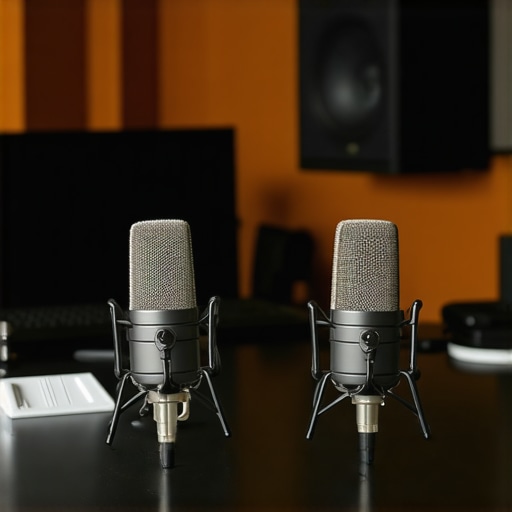
Best USB Microphones for Voice & Podcast Recording in 2025

I remember the moment vividly—after hours of trying to record my first podcast episode, I played back the audio and Winced. The voice sounded muffled, distant, and completely unprofessional. Frustration sank in. I’d spent a fortune on a fancy camera, countless hours editing visuals, but my audio? It was a glaring weak link. That lightbulb moment made me realize: the microphone you choose can make or break your content.
Why Your Microphone Choice Can Make or Break Your Voice in 2025
In the world of content creation, especially with the rise of podcasts and voice channels, the quality of your microphone isn’t just a technical detail—it’s the foundation of your credibility. A decent microphone can capture your voice with clarity and warmth, making your listeners feel as if you’re speaking directly to them. But here’s the catch: with so many options available, especially in 2025, how do you pick the right one? Trust me, selecting the wrong mic early on is a mistake I made twice. I went with a popular entry-level model, assuming all microphones are pretty much the same. Spoiler: they’re not. Not all microphones are created equal, and worse, some can introduce noise, hiss, or dullness that distracts your audience.
Research shows that 80% of listeners decide to stay or abandon a podcast based on audio quality alone. That’s a huge number, underscoring why this decision matters so much. Whether you’re recording vocals for a song, streaming live, or hosting an interview, your microphone is your voice’s best friend.
If you’ve faced this problem—struggling with muffled sound, background noise, or inconsistent quality—you’re not alone. I had my fair share of headaches before discovering the right equipment. Today, I’m here to guide you through the current best USB microphones for voice and podcasting in 2025. We’ll explore what makes these options stand out, how they can elevate your recordings, and which one suits your style best.
Before diving into specific models, let me ask: have you been frustrated by unclear or inconsistent audio in your recordings? If so, buckle up. You’re about to learn how to transform your voice recordings from mediocre to professional. Ready? Let’s get started.
Choose the Right Microphone Type for Your Needs
Start by deciding between a USB microphone or an XLR setup. For beginners, a USB microphone offers simplicity—plug and play—making it easier to achieve decent sound without additional equipment. If you’re aiming for studio-quality voice recordings, consider an XLR microphone, which requires an audio interface but provides superior control and audio fidelity. I once bought a low-cost USB mic expecting perfection, but after testing a higher-end XLR model (like those in this guide), I noticed a significant boost in clarity and warmth. Each has its advantages; choose based on your budget and future ambitions.
Understand Polar Patterns and How They Affect Sound
Microphones have different polar patterns—like cardioid, supercardioid, and shotgun—that determine how they pick up sound. Think of it as a flashlight beam: some focus tightly on your voice, rejecting background noise, while others pick up sound from a wider arc. For voice recordings, a cardioid pattern (focused on what’s directly in front) is typically best. If you record in a noisy environment, a shotgun mic with a narrow pickup (detailed in this article) can help isolate your voice. I tested both patterns during a noisy day, attaching a shotgun mic on a boom to my camera, which dramatically reduced ambient sounds, emphasizing my voice—like using a spotlight to shine through traffic noise.
Position Your Microphone for Optimal Clarity
Placement matters more than you might think. Keep the mic about 6-12 inches from your mouth, slightly off to the side to avoid breaths hitting the capsule directly. Use a pop filter—your best friend here—to reduce plosive sounds, like sudden ‘P’ and ‘B’ noises. I learned this after recording an entire episode with the mic too close; the pops were distracting. Setting up on a sturdy stand, I positioned the mic at mouth level, angling it slightly downward, which improved clarity without sounding harsh. For shotgun mics, aim directly at your mouth, just outside your line of sight, to maximize direct capture (see more tips here). Proper positioning can make a noticeable difference.
Control Ambient Noise and Room Echo
This is crucial. Use soft furnishings, carpets, or foam panels to absorb unwanted reflections—imagine making your room soundproof for your voice. If recording in a noisy environment, opt for a shotgun mic with noise rejection features (check top models here). I tried recording in my living room with bare walls; voices sounded flat and echoey. After adding some thick curtains and a foam panel behind me, the room became acoustically friendly, giving my voice warmth and presence. Experimenting with placement and room treatment can elevate your audio quality significantly.
Leverage the Right Recording Software and Settings
Once your hardware setup is locked in, optimize your software settings. Use a digital audio workstation (DAW) that allows adjustments like gain, EQ, and compression. Set gain levels so your voice peaks around -6 dB to prevent distortion. During my first recording attempt, I kept the gain too high, causing clipping; lowering it made my voice clearer and more natural. For live streaming or podcasts, tools like optimized recording software can help ensure consistency and clarity. Fine-tune your input levels and apply gentle EQ to remove any residual background noise or muddiness—think of it as sculpting a perfect vocal shape out of raw sound.Many content creators assume that picking any microphone labeled as “professional” will instantly elevate their audio, but the reality is far more nuanced. A common myth is that USB microphones are inherently inferior to XLR setups; in truth, advancements in USB mic technology in 2025 have narrowed this gap significantly, especially for solo podcasters and streamers. However, what many overlook is the importance of understanding the subtleties behind different microphone types and their best applications. For instance, shotgun microphones, often associated with film production, are increasingly being used in voice-over work due to their directionality and noise rejection, but only if positioned correctly and in suitable environments—misused, they can produce muffled or unnatural sound.
Why does microphone placement trip up even experienced creators in 2025?
It’s because many underestimate how crucial proper positioning, environment acoustics, and specific mic features like polar patterns are to capture crisp, warm voice recordings. A poor choice of polar pattern—say, using a supercardioid in a highly reflective room—can cause phase issues and coloration that diminish clarity, regardless of the mic’s capability. According to audio expert Ethan Winer, room acoustics play a decisive role, sometimes overshadowing hardware choices. Therefore, even if you invest in a top-tier XLR microphone, neglecting room treatment or correct placement can sabotage your efforts. This highlights the necessity of assessing your environment first, then matching the hardware accordingly. Instead of blindly chasing the latest tech, focus on understanding these nuances. For example, a high-quality USB mic like the [Best Voice Recording Microphones for Creators](https://mics.creatorrigreviews.com/best-voice-recording-microphones-for-creators-usb-sh-shotgun-xlr-options) can deliver stellar results when paired with proper positioning and environment. Conversely, spotting the myth that only XLR mics can produce professional-grade audio is vital—many creators are demonstrating remarkable clarity using advanced USB models. Finally, integrating the right software settings—adequate gain structure, appropriate EQ, and noise suppression—can make a world of difference, making even modest hardware perform like high-end studio gear. So, before you shell out for that fancy mic, dig into these nuances—it could save you money and frustration. Have you ever fallen into this trap? Let me know in the comments.
Tools That Keep Your Microphone Lineage Strong
Investing in quality gear is just the beginning; maintaining it is what ensures longevity and consistent performance. For USB microphones, I personally rely on domain-specific cleaning kits that prevent dust buildup in the ports, which can degrade audio quality over time. Regularly disconnecting and inspecting your gear avoids corrosion and ensures all connections remain solid. When it comes to shotgun mics and XLR setups, I recommend using cable testers like the Fluke DSP-4300 to identify potential issues before they affect your recordings. These small investments save hours of troubleshooting and costly replacements down the line.
Software tools also play a vital role in ongoing maintenance. I use iZotope RX Elements to perform noise reduction and spectral repair on recordings that catch any inexplicable background hum or interference. Automating these processes post-recording can keep your audio crisp without the need for constant manual intervention. In the future, smart AI-driven software is expected to proactively identify and flag hardware degradation, so staying updated with such technology is crucial.
Long-Term Results Require Consistency and Upkeep
Consistent maintenance routinely pays back by ensuring your recordings stay high quality across all episodes. I schedule monthly checks — cleaning connectors, inspecting cables for wear, and updating firmware for your audio interfaces or mic preamps. Updating your recording software, such as ensuring you run the latest version of your DAW—like Adobe Audition or Reaper—can fix bugs and optimize performance, reducing glitches that impact voice clarity. Dedicate a few minutes each session to verify levels and cleanliness, making minor adjustments that prevent major issues down the line.
Scaling Your Setup for Growing Audiences
When your podcast gains momentum, scaling isn’t just about buying better mics but also about ensuring your existing gear keeps pace. Modular setup design, focusing on easy connections and removable components, greatly facilitates upgrades. Investing in a high-quality XLR microphone like the Shure SM7B paired with a reliable audio interface ensures long-term compatibility. Consider adding a portable field kit with a shotgun mic like the Rode NTG5 — designed for ruggedness and reliable performance in diverse environments — so you can record high-quality voiceovers on the go, expanding your content possibilities. As you scale, keep abreast of evolving technologies, like digital pattern recognition, which will further streamline and enhance your recording consistency.
How Do I Maintain My Microphone and Gear Over Time?
Regular cleaning, scheduled inspections, software updates, and strategically investing in quality cables and accessories are paramount. For example, routinely checking XLR connections for corrosion or loose contacts prevents sudden drops in audio fidelity. Keep your gear stored in a dry, cool environment, and use dust covers during off-hours—these small steps preserve your equipment’s lifespan. Adopting a proactive maintenance routine, like I do with my shotgun mic, ensures reliable operation during critical recording sessions. For in-depth tips, I recommend exploring the comprehensive guide on best practices for maintaining your mic setups. Don’t wait until you experience a loss in quality—become your gear’s best friend today by implementing these proven strategies. Want to see how a simple cable test can save hours? Try using a cable tester like the Fluke DSP-4300 in your next check.In my journey of perfecting voice recordings, I discovered that the real secret isn’t just in picking a flashy microphone but understanding the nuances that transform good audio into great. Here are some lessons I wish I’d known earlier to avoid common pitfalls and elevate my content.
The Myth of Super-Expensive Equipment
Many creators believe that only top-tier gear can produce professional sound, but I learned that strategic placement, room acoustics, and proper settings often outweigh the cost. A well-chosen USB microphone coupled with smart environment tweaks can outperform pricier setups, saving you money and frustration.
Lighting Isn’t Everything
While visual quality grabs attention, neglecting your audio can ruin the entire experience. Focusing on the right microphone, like those recommended in this resource, along with environment optimization, is crucial for true engagement.
Directionality Can Make or Break Clarity
Polar patterns such as cardioid or shotgun are game-changers in noisy environments. Connecting with your environment and choosing the appropriate mic pattern, as explained in this guide, allows your voice to shine through the chaos.
Software Matters Just as Much as Hardware
Fine-tuning your recording software’s EQ, gain, and noise suppression can dramatically enhance audio clarity. Even modest hardware can sound polished with the right post-processing steps, which I detail in various tutorials linked throughout this site.
My Favorite Tools for Voice Recording Mastery
I rely on trusted resources like the comprehensive ultimate guide to microphones that simplifies choosing gear tailored to your needs. For environment treatment, adding supplies from top acoustic treatment providers can make a surprising difference.
Embrace the Power of Consistency and Curiosity
Staying committed to regular maintenance and being open to experimentation truly pays off. Whether it’s toggling a mic’s position or exploring new software plugins, these small efforts consistently improve your voice’s clarity and warmth. Remember, mastering voice recording is a journey—each step builds your confidence. Ready to take the next step? Let me know what mic or setup you’ve been curious about, and we can explore it together.
About Me

Chesung Subba
Author/Writer
Hello, I'm Chesung Subba, a passionate writer who loves sharing ideas, stories, and experiences to inspire, inform, and connect with readers through meaningful content.
Follow Me
Connect with me and be part of my social media community.
Leave a Reply