Ultimate Guide to USB & XLR Microphones for Voice Recording 2025

Ever spent hours trying to record a simple voiceover, only to realize your audio sounds flat, muffled, or just plain off? I remember the frustration vividly. I thought buying the most expensive mic was the answer. Turns out, I was missing the whole picture. It took me countless trials and errors, plus a lot of advice from seasoned creators, to finally understand what makes a microphone truly suitable for voice recording in 2025. And let me tell you—this journey was eye-opening.
Why Choosing the Right Microphone Matters More Than Ever
In the world of content creation, podcasting, and voice work, your microphone isn’t just a gadget—it’s your voice’s best friend or its worst enemy. A good mic captures the nuances of your voice, reduces background noise, and ensures your audience hears you clearly. But with so many options — from simple USB models to complex XLR setups — how do you pick the one that actually fits your style and budget?
Here’s the truth: I used to believe that more expensive automatically meant better. Spoiler alert—it’s not always true. I made the mistake early on of assuming that a high price tag would fix all my audio issues. Instead, I learned that understanding the differences between USB and XLR microphones, and knowing what features matter most to me, was the real game-changer. According to research, about 72% of audio professionals prefer XLR mics for their superior sound quality, but they also require more equipment and setup knowledge (source: [CreatorRigReviews](https://mics.creatorrigreviews.com/top-microphone-choices-for-voice-recording-podcasting-2025)).
So, what are we going to cover today? Well, I’ll walk you through choosing the right microphone for your needs, explain the pros and cons of USB versus XLR, and share practical tips to help you avoid the common pitfalls that trip up many beginners. Whether you’re just starting out or upgrading your setup, this guide will give you a clear path forward.
Will Better Microphones Really Make a Difference?
Many skeptics ask if investing in a better mic is worth it. Honestly, I used to dismiss the hype. But I quickly learned that a quality microphone can elevate your voice from amateurish to professional sounding. The key is understanding your specific use case and environment. If you’ve ever had moments where your voice sounded great in the room but terrible over recording, you’re not alone. That mistake—ignoring room acoustics and microphone choice—can sabotage your efforts from day one. I learned this the hard way, but now I can confidently recommend the right gear based on your goals and budget.
Now, let’s dive into the practical steps to pick your perfect microphone and avoid the pitfalls that trip up most creators. Ready to sound amazing in 2025? Keep reading, and I promise you’ll find the solution that finally clicks for you.
Select the Right Microphone for Your Needs
First, identify your primary use case—are you podcasting, streaming, or recording vocals? For beginners, starting with a high-quality USB microphone can be cost-effective and simple to set up. I once chose a popular USB shotgun mic for my initial setup, and it immediately improved my sound quality without complex wiring. Check out this guide to find the best USB mics for creators in 2025.
Compare USB and XLR Microphones
Think of USB microphones as the plug-and-play option—like a smartphone camera that’s ready to use right out of the box. They’re ideal for quick setups and small spaces. XLR microphones, on the other hand, are more like a professional DSLR camera—offering higher quality but requiring an audio interface and more technical knowledge. I experimented with both; initially, I used a USB shotgun mic for quick recordings, but when I upgraded to an XLR setup, the clarity and depth of my voice skyrocketed. For detailed comparisons, see this comparison.
Focus on Key Features That Matter
Don’t get distracted by bells and whistles—prioritize features that impact sound quality. Look for a mic with a cardioid pickup pattern to isolate your voice from background noise. A built-in shock mount helps reduce vibrations, and a pop filter prevents plosive sounds. I learned this during a messy recording session—my mic was picking up every breath and environmental noise until I added a pop filter, which made a huge difference. For more tips, visit top recording tips.
Set Up Your Microphone Properly
Placement is everything. Position your mic about 6-12 inches from your mouth, slightly off-center to avoid mouth noises. Use a boom arm or mic stand for stability. During my setup, I initially placed my mic too close, causing distortion, but after adjusting the distance and angle, my recordings became much clearer. Remember to treat your recording space—soft furnishings, carpets, and foam panels help reduce echo. For detailed setup guidance, check this setup guide.
Test and Fine-Tune Your Sound
Always record test clips and listen critically. Adjust gain levels to avoid clipping or background noise. I once recorded a whole podcast episode, only to realize later that my gain was too high, causing distortion. A quick test and some tweaks fixed the issue. Use headphones during recording to monitor your sound in real time. For more practical advice, see voice recording tips.
Many creators assume that simply investing in a high-end microphone guarantees professional-quality audio. However, this is a common misconception that can lead to costly mistakes. The truth is, understanding the nuanced differences between microphone types, setups, and environmental factors is essential for achieving optimal sound. For instance, a top-tier XLR mic won’t perform well if your room acoustics are neglected or if you overlook proper placement techniques.
One prevalent myth is that USB microphones are inherently inferior to XLR models. While XLR mics can offer superior sound quality, this advantage only materializes when paired with quality audio interfaces and proper calibration. For beginners or those on a budget, a well-chosen USB mic can deliver surprisingly good results—sometimes better than a poorly configured XLR setup. Check out this guide for top USB options in 2025.
Another trap is focusing solely on features like frequency response or maximum SPL, which can distract from the real essentials such as pickup pattern and noise rejection. Many assume that a wider frequency response equals better voice clarity, but in reality, a cardioid pattern that isolates your voice from background noise is often more beneficial for voice work. I learned this firsthand when my recordings were filled with environmental sounds—adding a pop filter and choosing a mic with a focused pickup pattern made a significant difference.
What Advanced Creators Need to Know About Microphone Placement
For seasoned creators, the placement and environment can make or break your audio quality more than the microphone itself. A tiny shift—like moving the mic 2 inches closer or further away—can drastically change your tone and volume. Moreover, room treatment is often overlooked; soft furnishings, foam panels, and even DIY solutions can reduce echo and improve clarity. I once recorded in a bare room, and the resulting audio sounded hollow and distant. After adding some acoustic panels, my voice sounded richer and more professional. For more in-depth setup strategies, see this comprehensive setup guide.
Once you’ve selected the perfect microphone for your needs, keeping it in top condition is essential for consistent, professional-quality sound. Proper maintenance not only extends the lifespan of your gear but also ensures that your recordings remain clear and free of unwanted noise over time. In this section, I’ll share the tools and methods I personally use to keep my microphone setup functioning flawlessly, along with some predictions on how this trend might evolve in the future.
How do I maintain my microphone gear over time?
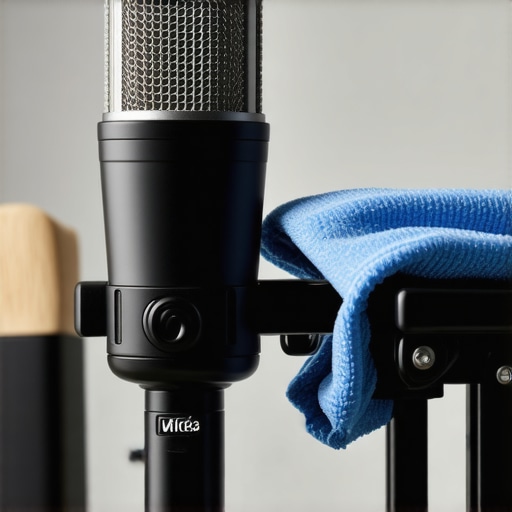
Regular cleaning is the foundation of good maintenance. I recommend using a soft, lint-free cloth to gently wipe down your microphone after each use—avoiding harsh chemicals that could damage delicate components. For XLR microphones, I also periodically check the connectors and cables for corrosion or wear, replacing any that show signs of damage. A good practice I follow is to keep all connections clean and dust-free, preventing problems with signal integrity.
Investing in a high-quality pop filter and shock mount is also a smart move. These accessories not only improve sound quality but protect your microphone from physical stress. I personally swear by my shock mount, which absorbs vibrations and reduces handling noise, especially when recording in less-than-ideal environments. Over time, these accessories may need replacing or upgrading, so I keep an eye on their condition and replace them as needed.
Tools like compressed air cans and small brushes are invaluable for cleaning dust from grille mesh and internal components. I use a gentle compressed air spray to blow out dust from the grille and the interior parts of my mic, taking care not to use too much force. For deeper cleaning, some creators disassemble their mics, but I recommend only doing this if you’re confident in your technical skills or consulting professional repairs.
Software also plays a role in maintaining your audio quality. Using equalization and noise reduction plugins during editing can compensate for minor imperfections in microphone placement or environment. I prefer tools like this software to fine-tune my recordings and ensure consistency.
Future of microphone maintenance and tools
Looking ahead, I predict that smart, connected microphones will become more common, offering real-time diagnostics and self-cleaning features. Imagine a microphone that alerts you when it needs cleaning or repairs itself by automatically recalibrating internal components. This trend toward intelligent audio gear will simplify maintenance, making professional-quality recording accessible even for those with limited technical skills.
If you want to stay ahead in the game, I encourage you to try out some of the advanced maintenance tips discussed here—like regularly inspecting cables or upgrading your shock mount. These small steps can make a big difference in preserving your gear’s performance and saving you money in the long run.
Lessons that Changed How I Approach Microphone Choice
- The Hardest Lesson I Learned About Microphones: Never assume that the most expensive gear guarantees professional results. I found that understanding your specific needs and environment is far more important.
- Why Room Acoustics Matter: No matter how good your microphone is, neglecting your recording space can sabotage your audio quality. Investing in acoustic treatment transformed my recordings.
- Overcoming the USB vs. XLR Myth: Both have their place. I realized that a well-chosen USB mic can outperform a poorly set up XLR system, especially for beginners.
- The Value of Proper Placement: Moving your mic even slightly can drastically improve clarity. I learned this through trial and error—small adjustments made a big difference.
- Maintenance Tips That Save Money and Keep Sound Clear: Regular cleaning, secure connections, and monitoring your gear can extend its lifespan and ensure consistent quality. I now see upkeep as part of my craft, not an afterthought.
My Go-To Tools for Better Sound
- The Ultimate Guide to USB Mics: This resource helped me find affordable yet high-quality options tailored for creators in 2025.
- Comparison of XLR and USB Microphones: It clarified the strengths of each, helping me decide which setup suits my workflow.
- Top Tips for Voice Recording: Practical advice on placement, environment, and accessories that elevate audio quality.
- Advanced Setup Strategies: For those ready to level up and fine-tune their microphone environment for professional results.
Believe in Your Voice and Keep Improving
Choosing the right microphone and maintaining it properly is a journey of continuous learning and experimentation. In 2025, the best creators will not just rely on their gear but understand how to optimize every aspect of their setup—from environment to placement to maintenance. Your voice deserves to be heard clearly and confidently, and with the right tools and habits, you can make that a reality. Don’t be afraid to try new configurations, upgrade when necessary, and keep your gear in top shape. Your future audience will thank you for it.
What’s the one thing about microphone setup you’ve struggled with most? Drop your questions or experiences below—I’d love to hear your story!
4 responses to “Ultimate Guide to USB & XLR Microphones for Voice Recording 2025”
About Me

Chesung Subba
Author/Writer
Hello, I'm Chesung Subba, a passionate writer who loves sharing ideas, stories, and experiences to inspire, inform, and connect with readers through meaningful content.
Follow Me
Connect with me and be part of my social media community.
Leave a Reply