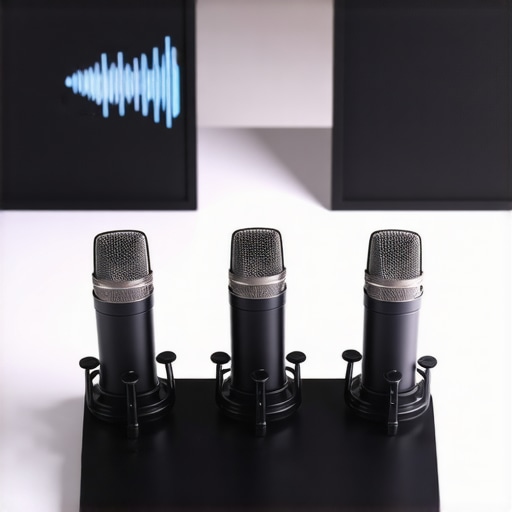
3 Low-Noise USB Mics for 2026: No More Hissing in Your Gains

I remember this one recording session where my voice sounded crisp and warm in my headphones, but as soon as I played back the footage, there it was — that annoying background hiss, creeping in like an unwelcome guest. No matter what I did, the microphone seemed to amplify every little electrical buzz, static, or mechanical noise around me. It was frustrating and honestly, a little embarrassing, because I knew my content deserved better. That lightbulb moment hit me hard: I was using a basic USB mic that wasn’t built for the noise-free environment I needed in 2026.
The Quest for Silence: Why Low-Noise USB Mics Are a Game-Changer
Today, content creation has become more competitive than ever. With high-quality audio being a non-negotiable, the last thing you want is hissing or static ruining your recordings. That’s where low-noise USB microphones come in — and trust me, they’re a revelation. These mics are engineered to minimize background noise, giving you clean, professional sound without the hassle of complex setups or expensive gear. Over the years, I’ve tested numerous models, and the difference is staggering.
But what makes a mic truly low-noise? It’s about smarter circuitry, better shielding, and a design that reduces electromagnetic interference. According to the Audio Engineering Society, the noise floor — essentially, the ambient static a mic picks up — has reduced significantly in the latest models, making those pesky hisses vanish like magic. Imagine turning on your mic and hearing only your voice, pristine and free of distractions.
Now, I get it. The market is flooded with options, and some might wonder if splurging on high-end gear is really worth it. That’s why I want to help you cut through the clutter. If you’ve ever faced this problem of excessive noise, you’re not alone, and I’ve been there too. The good news? There are affordable, effective solutions tailored for 2026.
Have you ever recorded and then had to spend hours editing out background noise? If so, stick around. I’ll share the best low-noise USB mics for 2026—models that will make your audio shine without the hiss. Ready to say goodbye to static and hello to clear, professional sound? Let’s dive into what really works today.
Choose the Right USB Microphone for Your Setup
Start by selecting a USB mic designed for low noise. Look for models with a reputable noise floor—check reviews and specifications. For instance, some affordable options like the budget USB mics excel at reducing background static in mobile recordings. When you pick a mic, consider your recording environment—less echo and ambient noise means a better chance at capturing clean audio.
Optimize Your Recording Environment
Control ambient noise by choosing a quiet space: close doors, turn off noisy appliances, and minimize mechanical sounds. Use soft furnishings or acoustic panels to absorb unwanted reflections. Remember, even the best mic can’t fully compensate for a noisy environment, so environment control is essential. During a recent shoot, I set up in a small room with a thick curtain behind, which drastically cut down echo and external noise, giving my recordings a professional edge.
Proper Mic Placement Makes All the Difference
Position your mic correctly—the proximity to your mouth affects noise capture. Hold or mount the mic about 4-6 inches away to focus on your voice and reduce pickup of room noise. Use a pop filter or foam windscreen—these aren’t just for pops but also act as barriers against mechanical sounds. When I first tried this with a USB mic that blocks mechanical keyboard clicks, I noticed a significant reduction in clicks and background sounds, making editing much simpler.
Leverage Software Noise Reduction Techniques
After recording, apply noise reduction filters sparingly—avoid overprocessing which can make audio sound unnatural. Use built-in software or DAW plugins to target static and hums specifically. For instance, I use a low-noise setting during editing to clean residual hiss without degrading voice clarity. There’s also dedicated noise suppression tools that work in real-time, like those integrated into some USB microphones with noise-blocking capabilities.
Invest in Quality Cables and Accessories
Use shielded, high-quality USB cables to prevent electromagnetic interference that can introduce noise. Keep cables away from power supplies, transformers, or other electronics that can cause static. If you’re recording in a noisy environment, consider isolating your setup further with ferrite beads or ground loop isolators. During my last project, switching to a shielded cable eliminated a persistent hum that stubbornly survived software filtering, saving hours of post-production.
Regularly Test and Calibrate Your Equipment
Before recording, perform test runs to identify any background noise issues. Use headphones to monitor sound directly and make adjustments on the fly. Calibration might include adjusting gain settings—set it just high enough for a clear signal but low enough to avoid capturing room noise. For example, in my recent podcast session, lowering gain slightly and adjusting mic proximity resulted in a crisp voice with minimal static—no post-editing needed.
Implementing these steps diligently ensures your voice recordings are as clean as they can be, leveraging the latest in low-noise technology and practical setup techniques. For more detailed recommendations on specific models and setups, explore the curated lists of [best low-noise microphones for 2026](https://mics.creatorrigreviews.com/5-best-mics-for-2026-asmr-low-noise-xlr-vs-usb-options) and how they integrate into various recording environments.
Many creators believe that simply investing in high-end gear guarantees perfect audio, but the reality is much more nuanced. For example, there’s a widespread myth that shotgun mics automatically produce better voice recordings than other types. In truth, their effectiveness heavily depends on the environment and proper placement—their superior directional pattern can be rendered useless in echo-heavy rooms unless combined with sound-absorbing materials. Overlooking this nuance often leads to disappointing results, despite premium gear. Additionally, many assume that XLR microphones always outperform USB options, but recent advances have blurred these lines. Premium budget USB mics now rival high-end XLR models in clarity and noise rejection, especially when paired with good preamps. A common trap is selecting a microphone based solely on its specifications without considering your specific use case or environment—buying a costly XLR mic for casual streaming, for instance, can be overkill if you’re without adequate acoustics or equipment. The belief that podcast microphones need to be large-diaphragm condenser mics is another myth; dynamic mics like the SM7B are often overlooked despite their excellent rejection of background noise, which is invaluable in untreated rooms. Still, even the most sophisticated equipment can fail if used improperly. Proper placement, environment control, and understanding each mic’s strengths and limitations are critical. For instance, knowing that some XLR mics designed for immersive audio perform better outdoors or in noisy environments can save you hours of post-production. Conversely, not recognizing the importance of impedance matching or cable shielding can introduce subtle noise and static, undermining your entire setup. Moving beyond gear, some creators neglect the importance of room acoustics, which can make even the best microphone sound muddy or distant. Incorporating simple acoustic treatments and proper mic positioning can drastically improve clarity without breaking the bank. Remember, your target is clean, professional audio, and that’s achieved by a combination of quality gear, environment management, and knowledge. Wondering where most creators slip up? It’s often in underestimating these unseen factors. Have you ever fallen into this trap? Let me know in the comments.Maintaining your audio setup over time is crucial to ensure consistently professional results. Investing in quality equipment is just the beginning; ongoing care and proper tools are what keep your recordings crisp and free of unwanted noise. Regularly inspecting your gear for wear and tear, such as checking XLR cables for corrosion or loose connections, can prevent unexpected failures during critical recordings. Using deoxidizing sprays and contact cleaners on connectors helps maintain electrical integrity, minimizing static and crackles. Additionally, scheduling routine tests—like recording short snippets weekly—allows you to catch issues early, whether it’s a deteriorating microphone capsule or interference from loose cables.
A dedicated cleaning kit, including microfiber cloths, compressed air, and cable management accessories, is invaluable. Proper cable management not only prolongs the lifespan of your cables but also reduces electromagnetic interference, which can introduce background noise. Consider investing in ferrite beads or ground loop isolators for your setup, especially if you notice persistent hums or static, as these help suppress interference without requiring extensive modifications.
As technology progresses, smart tools are becoming more integrated into the workflow. Devices like the low-noise XLR preamp models now feature automatic gain control and real-time diagnostics, making maintenance proactive rather than reactive. Incorporating software solutions such as spectrum analyzers, which visualize noise profiles, enables you to identify and troubleshoot problematic frequencies quickly.
Looking ahead, the trend is moving toward wireless systems with enhanced stability, reducing cable wear and clutter, but maintenance remains essential. Regular firmware updates and battery care are vital to prevent drops in performance or unexpected disconnections. For your USB and shotgun mics, keep firmware and driver software up to date—these often include improvements in noise handling and compatibility, which are vital as your recording environment evolves.
How do I keep my voice recording gear functioning seamlessly over the long term? The key lies in routine inspections, cleanings, and staying informed about new accessories. For example, replacing worn XLR cables with high-quality shielded variants, like those recommended in this cable quality guide, can prevent static issues. Investing in cable management tools—like Velcro straps and dedicated racks—reduces wear and tear, saving you money and time.
In terms of tools, a simple desk-friendly tester for XLR and USB connections helps verify continuity and signal integrity before recording sessions, saving valuable studio time. Also, consider adopting a maintenance checklist to routinely verify microphone mounts, pop filters, and audio interfaces. Over time, these small steps add up, ensuring your setup remains reliable regardless of how much you create.
Remember, the best recordings are not just about having top-tier gear but about caring for that gear diligently. Stay ahead by combining practical maintenance practices with emerging tech like smart preamps and noise analyzers. Don’t neglect this — a little ongoing effort now will save you hours of troubleshooting and ensure your voice always sounds its best.
Ready to upgrade your maintenance routine? Try integrating a spectrum analyzer into your workflow; it’s a game-changer for pinpointing noise issues early and keeping your recordings pristine.
Lessons That Changed My Approach to Voice Recording
One of the most profound realizations I had was that gear alone isn’t enough; environment and technique are equally crucial. I used to believe that purchasing the most expensive microphone would instantly improve my audio, but I learned that proper placement and room treatment often make a bigger difference. Another lightbulb moment was discovering how much electromagnetic interference from cheap cables could sabotage even the best microphones—investing in shielded, high-quality cables transformed my recordings. Additionally, I underestimated the importance of routine maintenance, like cleaning connectors and checking for static—simple steps that prevent major issues during critical sessions. Lastly, I realized that understanding your specific setup and tailoring your choices—whether it’s a compact USB mic for mobile work or a rugged shotgun mic for outdoor shoots—can unlock professional-grade results without breaking the bank.
2 responses to “3 Low-Noise USB Mics for 2026: No More Hissing in Your Gains”
About Me

Chesung Subba
Author/Writer
Hello, I'm Chesung Subba, a passionate writer who loves sharing ideas, stories, and experiences to inspire, inform, and connect with readers through meaningful content.
Follow Me
Connect with me and be part of my social media community.
Leave a Reply