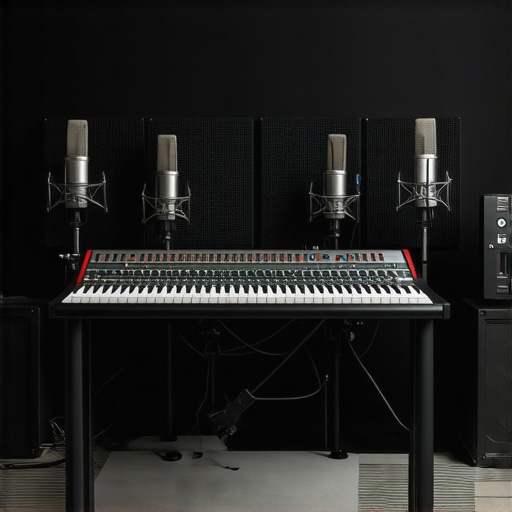
Ultimate Guide to USB & Shotgun Microphones for Creators in 2025

I remember spending hours tinkering with my first microphone setup, only to realize that my voice sounded distant, muffled, or just plain bad. It was frustrating. I thought I had the right gear, but the sound quality was a letdown every time I hit record. That lightbulb moment hit me hard: not all microphones are created equal, and choosing the right one could make or break my content. If you’ve ever been there—struggling to get clear, professional-sounding audio—you’re not alone. And here’s the good news: in 2025, there are some game-changing options, like USB and shotgun microphones, that can transform your recordings without breaking the bank.
Why Your Microphone Choice Matters More Than Ever
As creators, our voice is our brand. Whether you’re podcasting, streaming, or recording videos, your audio quality can either hook your audience or turn them away. According to a recent study by CreatorRigReviews, poor sound is one of the top reasons viewers click away from videos. That’s why investing in the right microphone isn’t just about convenience; it’s about credibility and growth.
Early in my journey, I made a crucial mistake: I bought a fancy-looking mic that was compatible with my setup but didn’t suit my environment or recording style. The result? Echoes, background noise, and a voice that sounded like I was recording from a tunnel. It was a costly lesson—one I want you to avoid. Instead, understanding the differences between USB and shotgun microphones, and knowing which one fits your needs, can save you time, money, and frustration.
Is All the Hype Around Microphones Actually Worth It?
Honestly, I used to think that any microphone would do the job. But my experience proved otherwise. A mismatched mic can make even the most talented creator sound amateurish. When I switched to a dedicated shotgun microphone, my voice clarity skyrocketed, and my videos instantly felt more professional. If you’re skeptical, I get it—there’s a lot of noise online about what gear is “necessary.” But the truth is, choosing the right microphone tailored to your space and content style makes a huge difference. Curious about what the best options are in 2025? Check out our comprehensive microphone buying guide to discover top picks for creators like you.
So, are you ready to stop guessing and start sounding better? Let’s dive into the practical steps to find your perfect microphone match and elevate your content game.
Identify Your Environment and Recording Needs
Before choosing a microphone, assess your recording space and content style. Do you record in a quiet, small room or a noisy, open area? Are you creating podcasts, streaming, or filming videos? Knowing your environment helps narrow down options. For instance, if background noise is an issue, a shotgun mic can focus on your voice, minimizing unwanted sounds. I once recorded a podcast in a noisy café, and switching to a shotgun microphone drastically improved clarity, showing how crucial environment-aware choices are. For detailed recommendations, check out our ultimate guide to XLR and USB mics.
Many creators fall into traps rooted in misconceptions about microphones, often leading to subpar audio quality. One widespread myth is that investing in the most expensive gear guarantees professional sound. In reality, even high-end microphones can perform poorly if not matched to your environment or use case. For example, a popular misconception is that XLR microphones are always superior to USB options. While XLRs can offer greater flexibility and quality, many modern USB microphones are perfectly capable for casual creators and streamers. It’s crucial to understand that your environment, recording style, and budget all influence the best choice.
Another common mistake is overlooking the importance of proper placement and acoustics. Many beginners believe that a good mic alone will solve all sound issues. However, even a top-tier microphone can sound terrible if placed incorrectly or if the room has echo or background noise. For instance, positioning your mic too close or too far from your mouth can cause volume inconsistencies and plosives. Additionally, ignoring room treatment can result in sound reflections that muddy your recordings. A simple yet often overlooked tip is to experiment with mic angles and distances—small adjustments can dramatically improve clarity.
Are Shotgun Microphones Really Better for All Settings?
This is a nuanced question. Many assume shotgun microphones are the best for all noisy environments because of their directional nature. While they excel at focusing on your voice and rejecting side noise, they are not a universal solution. Shotgun mics can pick up unwanted echoes in reflective spaces or fail to capture subtle vocal nuances if not used correctly. In our detailed guide, we discuss scenarios where shotgun mics shine and situations where other options, like a good USB condenser, might be better. Understanding your specific environment and content style is key to avoiding the trap of overgeneralizing microphone capabilities.
Furthermore, many creators underestimate the importance of gain staging and filtering. Boosting gain excessively to compensate for poor mic placement introduces background noise, reducing overall audio quality. Using filters like a pop filter, windscreen, or noise gate can help clean up your sound without investing in costly gear. Remember, mastering your microphone setup and environment often yields more improvement than upgrading your gear.
Have you ever fallen into this trap? Let me know in the comments. For a deeper dive into choosing the right microphone for your space and style, check out our comprehensive buying guide.
Keeping your microphone in top shape over time requires more than just careful usage; it involves a combination of proper maintenance routines, the right tools, and strategic upgrades. In 2025, as technology advances rapidly, staying on top of these aspects can help ensure your audio quality remains professional and reliable for years to come.
Invest in Quality Cables and Connectors
One of the simplest yet often overlooked maintenance steps is regularly inspecting and replacing your cables and connectors. High-quality XLR or USB cables not only transmit clearer sound but are also more durable against wear and tear. Personally, I prefer using gold-plated connectors because they resist corrosion, which can degrade signal quality over time. Remember, a cheap cable can cause static, dropouts, or noise, so it’s worth investing in reputable brands like Mogami or AudioTechnica. Periodically unplug and check for visible damage or loose connections, especially if you notice a sudden drop in sound quality.
Use Proper Storage and Handling Tools
Storing your microphone correctly is crucial. Use a dedicated mic stand or a padded case to prevent accidental drops or knocks. I always keep my microphones in padded pouches when not in use, which helps protect against dust and accidental bumps. For microphones with sensitive components, consider using windshields or pop filters—these not only improve sound quality but also protect the capsule from dust buildup. Over time, dust and moisture can deteriorate internal components, so regular cleaning with compressed air and gentle wipes (avoiding liquids) is essential. For detailed cleaning techniques, check out our comprehensive guide.
Maintain Software and Firmware Updates
Hardware is only part of the equation. Ensuring your microphone’s firmware and associated audio software are up-to-date can improve performance and fix bugs. Many modern microphones, especially USB models, have firmware that can be updated via manufacturer’s tools. Regularly visiting the manufacturer’s website or subscribing to their updates ensures you benefit from the latest enhancements. For example, software improvements can optimize noise reduction algorithms or improve compatibility with your recording setup, making the long-term maintenance of your gear more manageable.
Plan for Upgrades and Scalability
As your needs grow, so might your equipment requirements. In the future, I predict more modular microphone systems that allow easy upgrades of capsules, preamps, or digital interfaces. This flexibility means you won’t have to replace your entire setup but can upgrade components selectively, saving money and reducing waste. Keeping an eye on industry trends, like the rise of hybrid USB/XLR microphones, can help you anticipate future needs and plan upgrades accordingly. For example, if you’re considering expanding your podcasting setup, check out our ultimate guide for selecting adaptable gear.
How do I maintain my microphone’s performance over time?
The key to long-lasting microphone performance is consistency. Regularly cleaning your gear, inspecting cables, updating firmware, and storing your equipment properly will go a long way. Additionally, consider investing in a high-quality shock mount and acoustic treatments for your recording space, which can protect your gear and improve your sound quality over time. Don’t forget to schedule periodic checkups—think of it like a tune-up for your car—to ensure everything runs smoothly. Implementing these practices ensures your microphone remains reliable, delivering pristine sound for your content creation efforts well into the future.
Try adopting these maintenance habits today, and you’ll notice your audio clarity remains sharp, even after years of use. For more advanced tips and recommended tools, explore our detailed guides linked throughout this post.
The Hardest Lesson I Learned About Microphone Choices
One of the most valuable lessons I encountered was realizing that not all microphones deliver the same quality, even if they seem similar on paper. Early on, I wasted time and money on gear that looked professional but sounded amateurish, especially in my unique recording environment. This taught me that understanding your specific needs and environment is crucial before making a purchase.
3 Myths About Microphones That Held Me Back
For a long time, I believed that XLR microphones were inherently superior to USB options, and that expensive gear always meant better sound. Both are myths. Modern USB microphones can be excellent, especially for creators on a budget, and XLRs, while flexible, aren’t always necessary depending on your setup. Debunking these myths helped me choose tools that truly fit my workflow.
What Experts Won’t Tell You About Maintaining Your Microphone
Most creators overlook the importance of regular cable checks, proper storage, and firmware updates. These small habits can extend your gear’s lifespan and keep your sound crisp. I’ve learned that consistent care—like inspecting cables and cleaning components—can prevent costly repairs and ensure your recordings always sound their best.
My Essential Toolkit for Superior Audio in 2025
- **Mogami Gold Cables** – I trust these for their durability and clear transmission, reducing static and noise.
- **Pop Filters and Windscreens** – Protect your capsule and improve sound quality with simple accessories.
- **Firmware Updater Tools** from manufacturers – Staying current with updates unlocks performance improvements.
- **Acoustic Treatments** like foam panels and diffusers – These drastically improve room acoustics, making any mic sound better.
Your Next Step: Elevate Your Voice Today
If you’re serious about creating professional-quality audio, taking control of your microphone setup is essential. Remember, the right gear combined with proper maintenance and environment awareness will set you apart. Don’t wait—start refining your microphone strategy now and see the difference it makes in your content quality.
What’s the biggest challenge you’ve faced with microphone selection or setup? Share your experience below—I’d love to hear your story!
3 responses to “Ultimate Guide to USB & Shotgun Microphones for Creators in 2025”
About Me

Chesung Subba
Author/Writer
Hello, I'm Chesung Subba, a passionate writer who loves sharing ideas, stories, and experiences to inspire, inform, and connect with readers through meaningful content.
Follow Me
Connect with me and be part of my social media community.
Leave a Reply